
ProviderOne Login: Password Reset and Locked Accounts
By George Ruan • October 9, 2026
For ProviderOne provider login, open the official ProviderOne sign-in page and sign in with your own user account. Domain Name, User Name and Password are case sensitive.
Checked October 9, 2026.
Sections
- Direct links: ProviderOne login, account setup and help
- TL;DR: use your own login, and give your biller their own
- Who needs their own ProviderOne login
- Add your biller or fix a missing claims profile
- ProviderOne login says the password is wrong
- How do I unlock ProviderOne or reset my password?
- ProviderOne says my security answers are incorrect
- The only System Administrator is locked out
- ProviderOne opens but links or submissions show errors
- OneHealthPort works but the ProviderOne task is missing
- SAW is asking me to sign in for enrollment support
- Related Washington Apple Health guides
- Frequently Asked Questions
Direct links: ProviderOne login, account setup and help
The ProviderOne login page looks like this. Existing users choose Login; first-time staff ask their organization’s System Administrator to create their own user account.
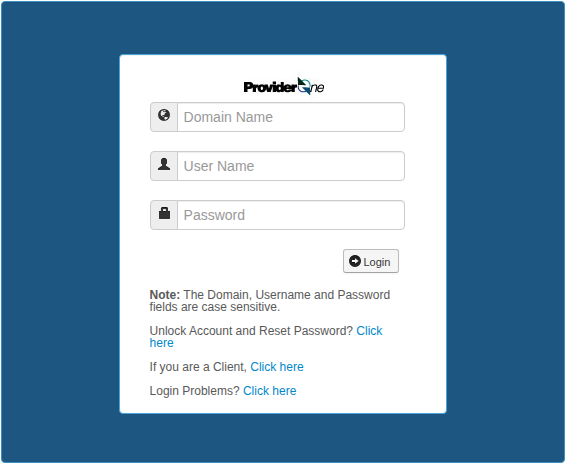
Screenshot source: Screenshot of the public ProviderOne sign-in page, captured October 9, 2026.
TL;DR: use your own login, and give your biller their own
Use your own ProviderOne login. Your biller gets their own login with EXT Provider Claims Submitter access that your System Administrator grants; add EXT Provider Eligibility Checker if they need to check coverage. State enrollment and Apple Health plan participation are separate from this login.
HCA: May 2025 ProviderOne profile definitions
HCA: Apple Health managed care networks
Who needs their own ProviderOne login
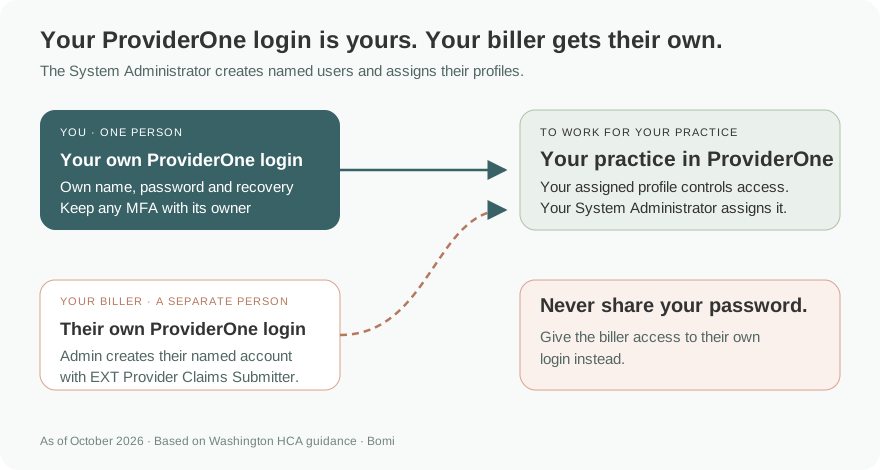
HCA’s user guide says every person needs their own user account and generic accounts shared by multiple people should not be used. The EXT Provider System Administrator creates named accounts and assigns profiles for the work each person does. Keep your password, recovery answers and any MFA with the account owner. Never share your password with your biller; give them access to their own login instead.
HCA: named user accounts and profile assignment, pages 3–14
Add your biller or fix a missing claims profile
Your biller uses their own ProviderOne account. Ask the EXT Provider System Administrator to create the named user, assign EXT Provider Claims Submitter for claims and EXT Provider Eligibility Checker for eligibility as needed, and approve the profile assignment. For the complete new-user workflow, use the account-setup guide below. Do not lend the biller your password to work around a missing profile.
HCA: user creation and profile approval
HCA: May 2025 profile definitions
The 2023 figure shows how an administrator moves profiles between lists. Its combined EXT Provider Eligibility Checker-Claims Submitter profile is still listed on page 2 of the May 2025 definitions; use the current definitions to choose access.
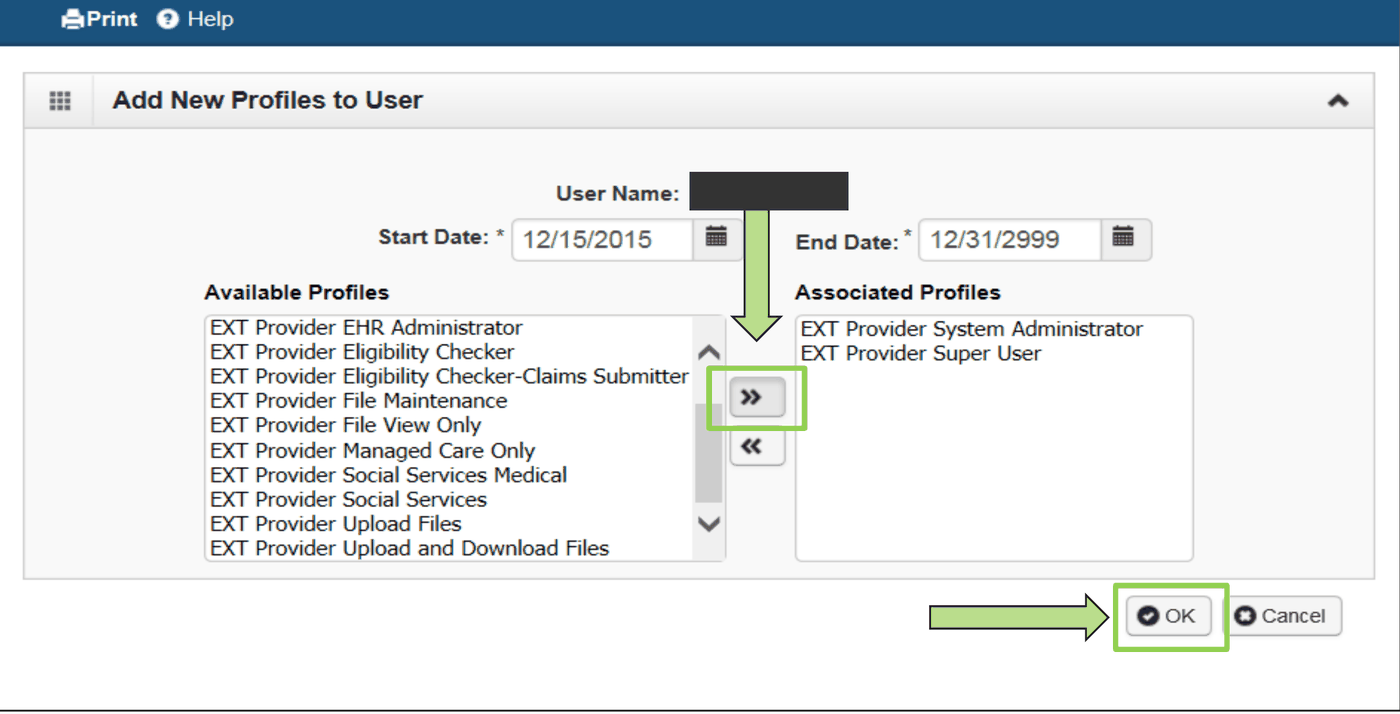
Screenshot source: Creating Users and Adding Profiles (2023), PDF page 13; sample user masked.
ProviderOne login says the password is wrong
First confirm that you are on the provider sign-in page rather than a client page or HCA support portal. ProviderOne requires Domain Name, User Name and Password; all three fields are case sensitive. A working SAW account does not replace these provider credentials. Use the Login Problems link or HCA’s access FAQ for help with the ProviderOne entry point.
Official ProviderOne sign-in page
How do I unlock ProviderOne or reset my password?
Under the ProviderOne Login button, choose Unlock Account and Reset Password. HCA says the reset sends a new temporary password to your email and asks you to choose new security questions. Follow that recovery flow for your own user account instead of retrying a password borrowed from another staff member.
HCA: user password reset instructions
ProviderOne says my security answers are incorrect
HCA directs you to your organization’s System Administrator if the recovery page rejects the security answers. If you do not know who that is, ask the office manager or person who provided your original login. Our recommendation is to describe the exact error and which page shows it, without sending your password or security answers to other staff.
HCA: security-question errors and administrator lookup
The only System Administrator is locked out
If you are the sole System Administrator, HCA says ProviderOne Security can assist with unlocking the account or resetting a password. If a backup administrator exists, HCA refers you to that administrator. After access is restored, the current administrator can use the named-user/profile guide to add a backup administrator.
HCA: administrator lockouts and backups
ProviderOne opens but links or submissions show errors
HCA requires popups and redirects to be enabled for ProviderOne. Allow the ProviderOne URL in the browser’s settings. If that does not resolve the problem, HCA suggests clearing cache and cookies so the browser loads current files. Save unfinished work before clearing browser data, then retry the task using your own account.
HCA: technical and browser questions
OneHealthPort works but the ProviderOne task is missing
OneHealthPort offers a single-sign-on route to ProviderOne, while security profiles determine which ProviderOne functions a user can perform. Ask your administrator to compare your assigned access with the claims, eligibility or provider-file task you need. Repeated password resets do not assign a missing profile. The current profile definitions also distinguish OneHealthPort roles from ProviderOne profiles.
OneHealthPort: ProviderOne route and support
HCA: ProviderOne profiles and OneHealthPort roles
SAW is asking me to sign in for enrollment support
HCA’s Provider Enrollment support portal uses SecureAccess Washington (SAW). That is the help-request workflow, not the ProviderOne provider sign-in page. Identify where the error occurs and use recovery for that system. Keep enrollment support follow-up in that support route rather than assuming a ProviderOne password reset resolves a SAW problem.
HCA: Provider Enrollment support through SAW
Related Washington Apple Health guides
Frequently Asked Questions
How do I unlock my ProviderOne account?
Choose Unlock Account and Reset Password under Login on www.waproviderone.org. If security answers fail, contact your organization’s System Administrator.
What if I do not know my ProviderOne System Administrator?
HCA says to ask your office manager or the person who provided your original login.
Who resets the only ProviderOne administrator’s password?
HCA says ProviderOne Security can help a sole System Administrator. If a backup administrator exists, HCA refers users to that administrator.
Why does ProviderOne give errors after I sign in?
Check assigned profiles for missing tasks. HCA also requires popups and redirects and suggests clearing cache and cookies if allowing the site does not resolve browser errors.
Will a SAW password reset unlock ProviderOne?
Use recovery for the system displaying the error. HCA’s SAW support-request workflow is separate from the ProviderOne login.
Need help getting payer-ready?
For practices enrolled in Bomi Billing, our team handles CAQH, payer applications, attestations, roster updates, and ongoing credentialing. Credentialing requires Bomi Billing.
Credentialing with billing
About Bomi
Founded by George Ruan, Dax Earl, and Andrey Goder, Bomi helps independent therapists and group practices with insurance billing, credentialing, and payer follow-up. Bomi grew out of Dax’s experience helping his mother with her therapy practice, with a clear purpose: reduce the administrative burden of insurance while keeping practice owners in control.
Meet our founders