
PROMISe Login: PA Provider Portal and Biller Access
By George Ruan • October 9, 2026
For PROMISe provider login, open Official PROMISe provider portal and sign in with your provider or authorized alternate account.
Last checked: October 9, 2026.
Sections
- Direct links: PROMISe login, registration and help
- TL;DR: use your own login, and give your biller their own
- Who needs their own PROMISe login
- Before you create access
- Account setup steps
- Add your biller as an alternate
- PROMISe login errors and lockouts
- Keep enrollment separate from account setup
- Behavioral HealthChoices uses the county’s BH-MCO
- Where are EVS instructions?
- Related provider guides
- Frequently Asked Questions
Direct links: PROMISe login, registration and help
Password recovery: Internet Help Manual — also available under portal Quick Links.
Provider Assistance Center: 717-975-4100 or 800-248-2152 — DHS lists these numbers for persistent login problems.
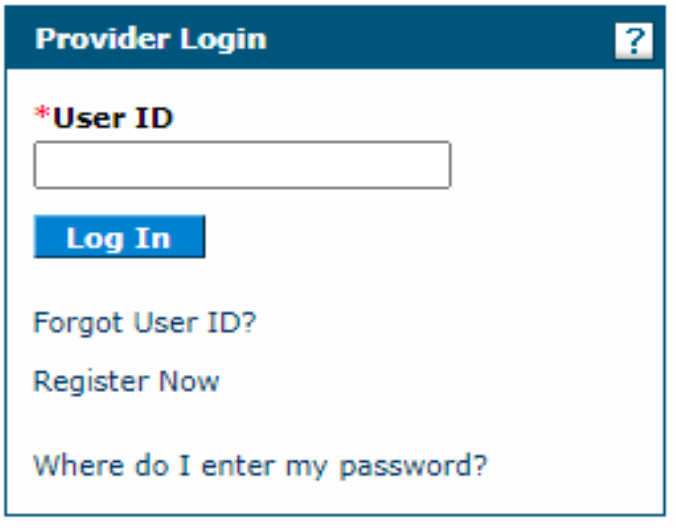
The PROMISe login page looks like this: existing users enter their User ID and choose Log In; first-time users choose Register Now.
Screenshot source: PROMISe Provider Internet User Manual v5.50 (July 9, 2025), PDF/printed page 251.
TL;DR: use your own login, and give your biller their own
Use your own PROMISe login. Your biller uses their own Alternate login, which the practice authorizes for its provider records. New enrollment applications and your county’s behavioral health plan participation are separate. PROMISe Provider Internet User Manual
Who needs their own PROMISe login
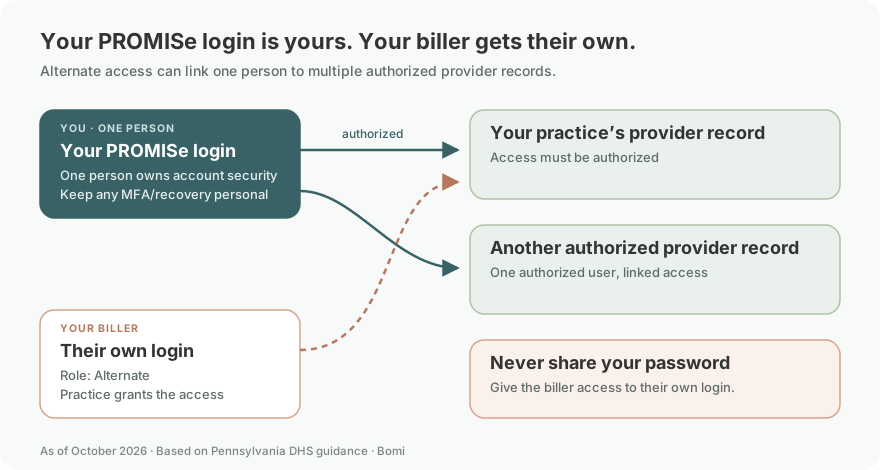
Give each biller an alternate account with their own name and credentials. Each provider must authorize the relevant records; an alternate working for multiple authorized providers can use Switch Provider. Our recommendation is that one person own each login’s security checks and keep any MFA or recovery method personal. Never share your password. Group/business provider registration uses the organization’s name in the name fields as the manual instructs; do not substitute a staff member’s name for those entity fields. PROMISe manual: provider and alternate registration
Before you create access
Confirm the enrolled provider’s 13-digit provider number and the SSN or EIN on file. If an account exists, resolve its access issue before registering another. Our recommendation is to identify the person responsible for alternate authorization and account recovery before handing billing work over. DHS PROMISe FAQ: registration and alternate accounts
Account setup steps
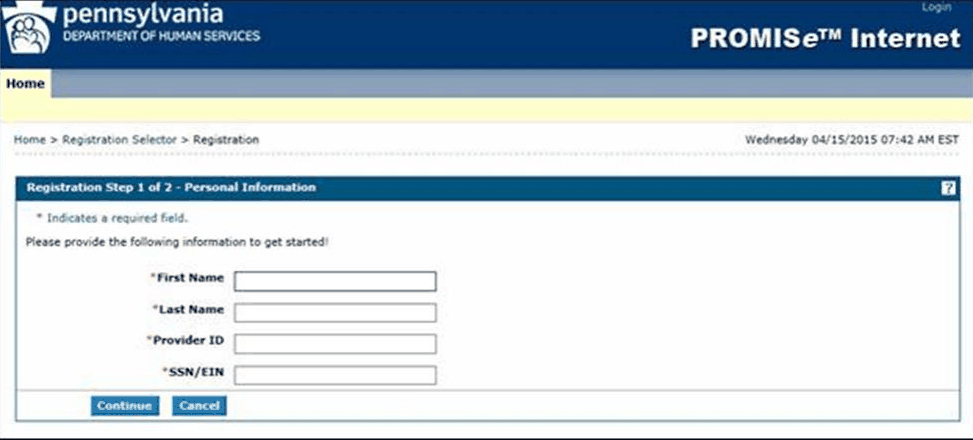
Complete first-time registration with the provider details, create a unique user ID and password, answer three challenge questions, and choose a site key token and passphrase. The Internet Help Manual is available from Quick Links on the portal landing page. DHS PROMISe FAQ: registration and alternate accounts
Screenshot source: PROMISe Provider Internet User Manual v5.50 (July 9, 2025), PDF/printed page 29.
Add your biller as an alternate
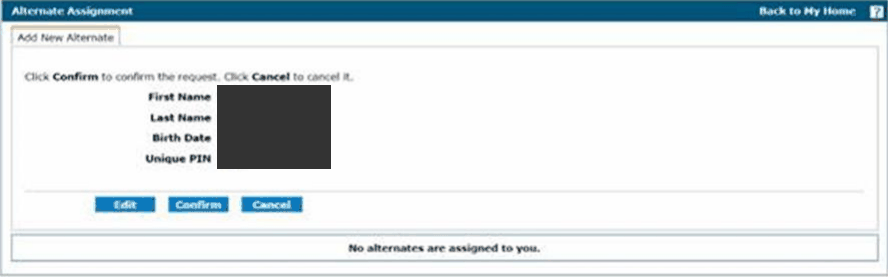
Open Manage Alternates and Add New Alternate. Enter the requested identity details and select the four-digit PIN, then confirm. Securely provide the generated Alternate Code and PIN to the biller for their own registration and security setup. The practice authorizes that person’s Alternate access; it does not hand over the provider’s password. For an existing registered alternate, use Add Registered Alternate. Keep any MFA or recovery method with the biller who owns that login. PROMISe Provider Internet User Manual
Screenshot source: PROMISe Provider Internet User Manual v5.50 (July 9, 2025), PDF/printed page 42.
PROMISe login errors and lockouts
Follow the Internet Help Manual’s login help and password recovery instructions for an existing account. If the desired provider is missing after sign-in, check authorization and Switch Provider rather than creating another alternate. For persistent login issues, DHS lists the Provider Assistance Center linked above. PROMISe Provider Internet User Manual
Keep enrollment separate from account setup
A portal account or alternate authorization does not complete a clinician’s Medicaid enrollment. Use the state enrollment instructions and new-application endpoint for that task. DHS: enroll as a Medicaid provider
Behavioral HealthChoices uses the county’s BH-MCO
EVS verifies coverage and related information; it does not guarantee payment. For Behavioral HealthChoices, use DHS’s county directory to identify the BH-MCO rather than assuming the member’s physical health plan is the behavioral health payer. DHS official BH-MCO county directory
Where are EVS instructions?
Use the DHS ACCESS EVS FAQ and the eligibility article below for the service-date verification workflow. DHS ACCESS Eligibility Verification System FAQ
Related provider guides
Frequently Asked Questions
What is the PROMISe provider login?
Use the official Pennsylvania PROMISe provider portal linked in sentence one.
How do I reset my PROMISe password?
Use the password recovery instructions in the official Internet Help Manual. For persistent access problems, DHS lists the Provider Assistance Center at 717-975-4100 or 800-248-2152.
Can one PROMISe alternate work for multiple providers?
Yes, after each provider authorizes access. Use Switch Provider to select the intended record.
Is PROMISe login the same as ePEAP enrollment?
No. Account access, an enrollment application, and Behavioral HealthChoices network participation are separate tasks.
Want Bomi to handle insurance billing?
Bomi helps therapy practices with benefit checks, claims, denials, balances, CAQH, attestations, and revenue management.
Book a call
About Bomi
Founded by George Ruan, Dax Earl, and Andrey Goder, Bomi helps independent therapists and group practices with insurance billing, credentialing, and payer follow-up. Bomi grew out of Dax’s experience helping his mother with her therapy practice, with a clear purpose: reduce the administrative burden of insurance while keeping practice owners in control.
Meet our founders