
CMS I&A Login: PECOS Staff and Biller Surrogate Access
By George Ruan • December 14, 2025
For CMS I&A provider login, open the official Identity & Access sign-in page and sign in with your own personal account after accepting the public terms.
Last checked: October 10, 2026.
Sections
- Direct links: CMS I&A login, account setup and help
- TL;DR: use your own login, and give your biller their own
- Who needs their own CMS I&A login
- What your I&A login opens
- Before you create access: AO, AM or Staff End User?
- How do I create a CMS I&A account?
- Add your biller as staff
- Connect a billing company as a surrogate
- CMS I&A login errors and lockouts
- Related Medicare portal guides
- Frequently Asked Questions
Direct links: CMS I&A login, account setup and help
The I&A sign-in screen includes Create Account Now and recovery links for existing users.
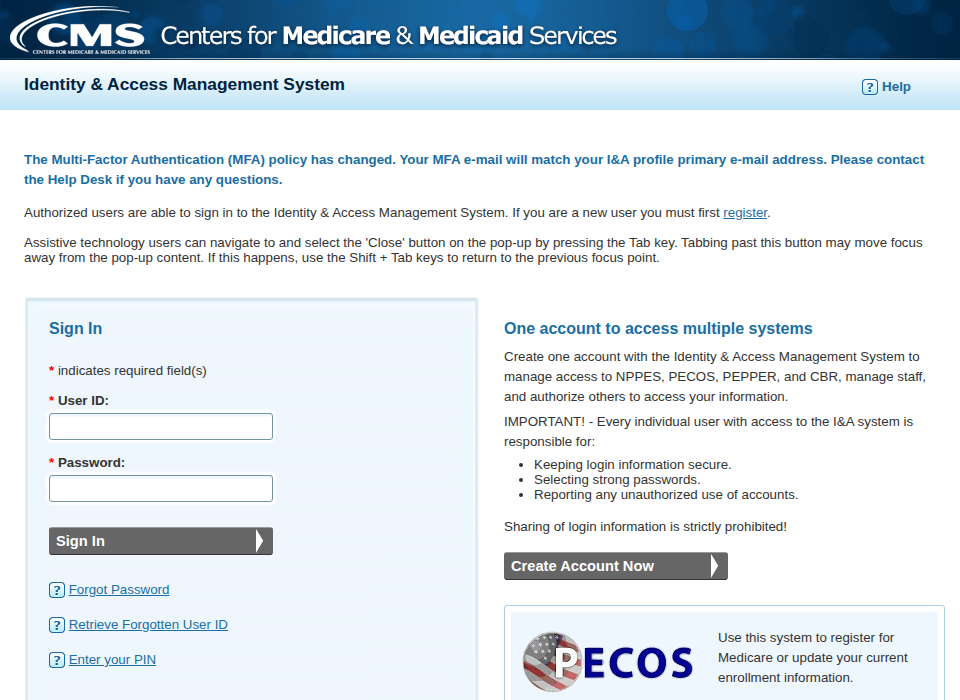
Screenshot source: Screenshot of the public CMS I&A sign-in page, captured October 10, 2026.
TL;DR: use your own login, and give your biller their own
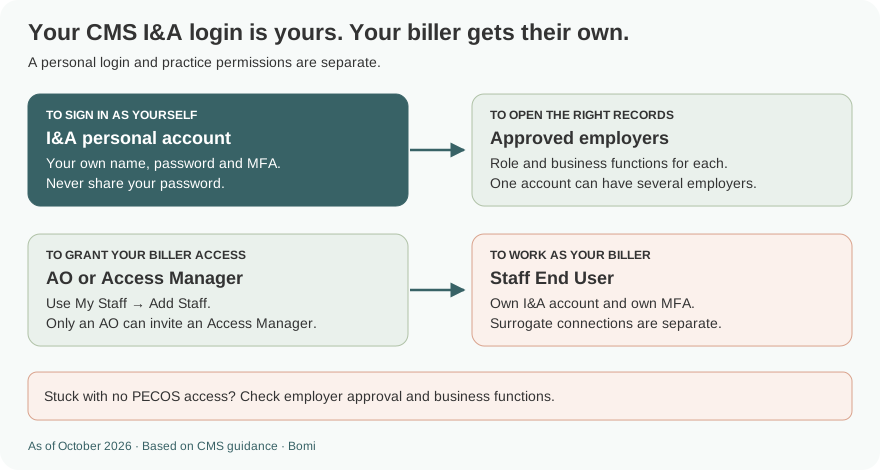
Use your own I&A login and MFA. Your biller gets their own Staff End User account access from your AO or AM; an AO can grant Access Manager access when managing users is part of the job. PECOS enrollment work and a separate billing-company connection need their own approvals. I&A role and invitation guidance
Who needs their own CMS I&A login
Each person registers under their own name and keeps their password private. Never share your password with a biller. I&A supports multiple approved employers on one personal account; roles and business functions are assigned for each employer. “Surrogate” describes an approved organization-to-provider connection, not a person’s login role. I&A guide, pages 4–5 and 66–69
What your I&A login opens
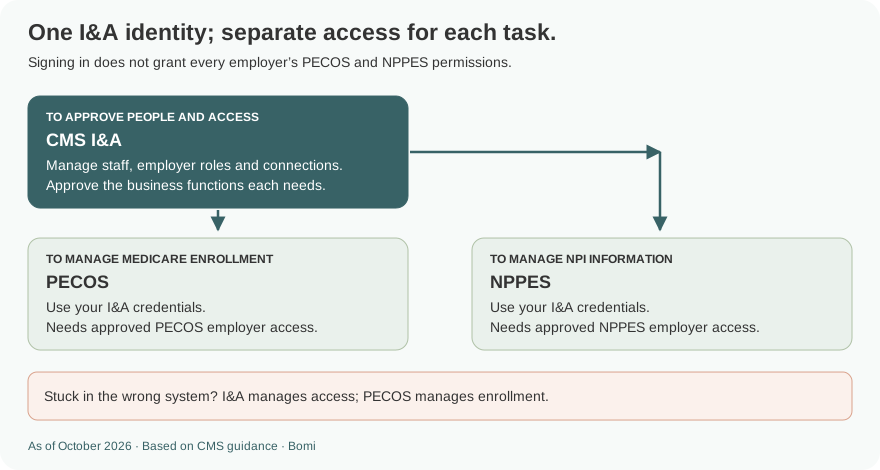
I&A manages identity and access. PECOS is where you prepare or manage Medicare enrollment; NPPES is where you manage NPI information. The same I&A identity can support these systems, but an employer’s PECOS permission does not automatically grant its NPPES permission. This is also separate from CMS IDM used for Novitasphere. I&A guide, pages 3–5 and 68–69 Novitas IDM account instructions
Before you create access: AO, AM or Staff End User?
Authorized Official (AO): establishes and manages the organization relationship and may invite Access Managers.
Access Manager (AM): manages staff and connections within approved access; an AM can invite Staff End Users, not another AM.
Staff End User (SEU): works in approved employer applications. Preparing enrollment does not mean every biller needs user-management permissions.
CMS role definitions and invitation limits, pages 4–5 and 66
How do I create a CMS I&A account?
Open I&A and accept the public terms, then choose Create Account Now. Reuse your existing personal account if you have one.
Enter your own unique email and complete the account, security and MFA prompts. Use your own identity details.
Open My Profile to add the correct employer relationship or accept an employer invitation. Select the role that matches your actual authority.
Wait for the required approval, then check the employer and its business functions. A pending request does not grant PECOS access.
I&A account and employer setup, pages 7–18 and 32–40
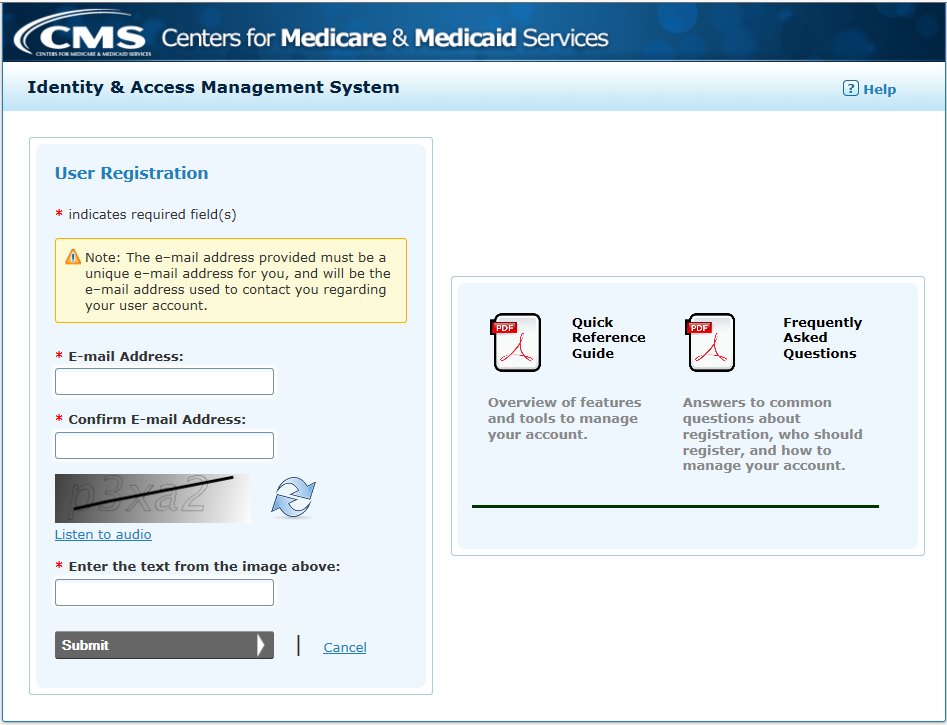
Screenshot source: CMS I&A Quick Reference Guide, January 20, 2026, page 8.
Add your biller as staff
The AO or AM signs in, opens My Staff and chooses Add Staff. Enter the biller’s name and email, select the correct employer, and grant Staff End User access plus the business functions they need, such as PECOS. Only the AO can select Access Manager. The invitation PIN expires after 72 hours; the biller accepts it using their own account. I&A guide, pages 66–78
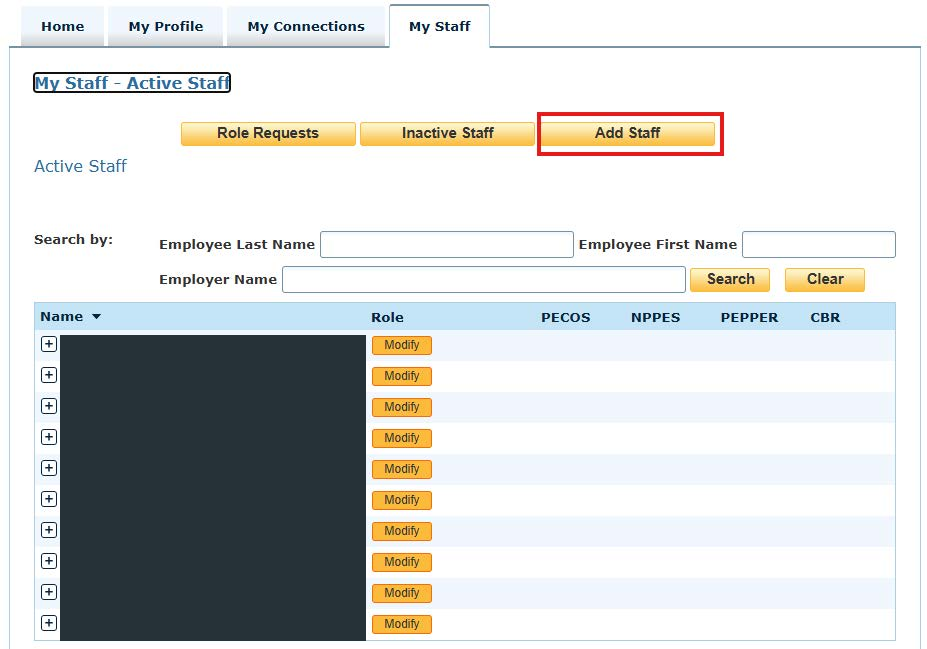
Screenshot source: CMS I&A Quick Reference Guide, January 20, 2026, page 66; sample staff names covered.
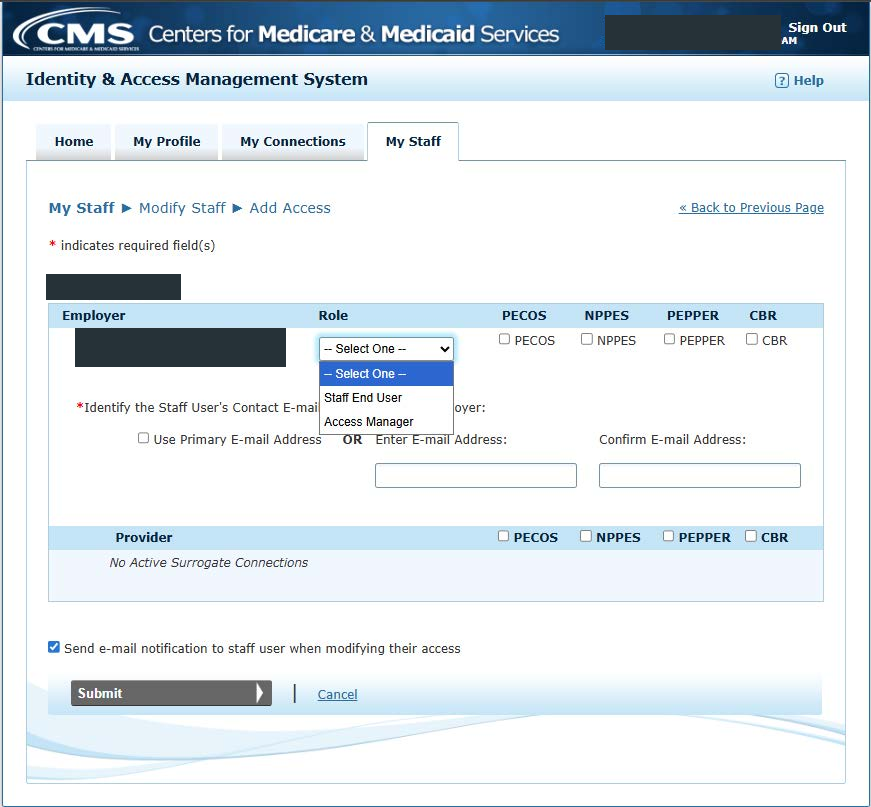
Screenshot source: CMS I&A Quick Reference Guide, January 20, 2026, page 68; sample identity and organization details covered.
These earlier illustrations of the My Staff navigation are retained; use the current guide above for the Add Staff label and role rules.
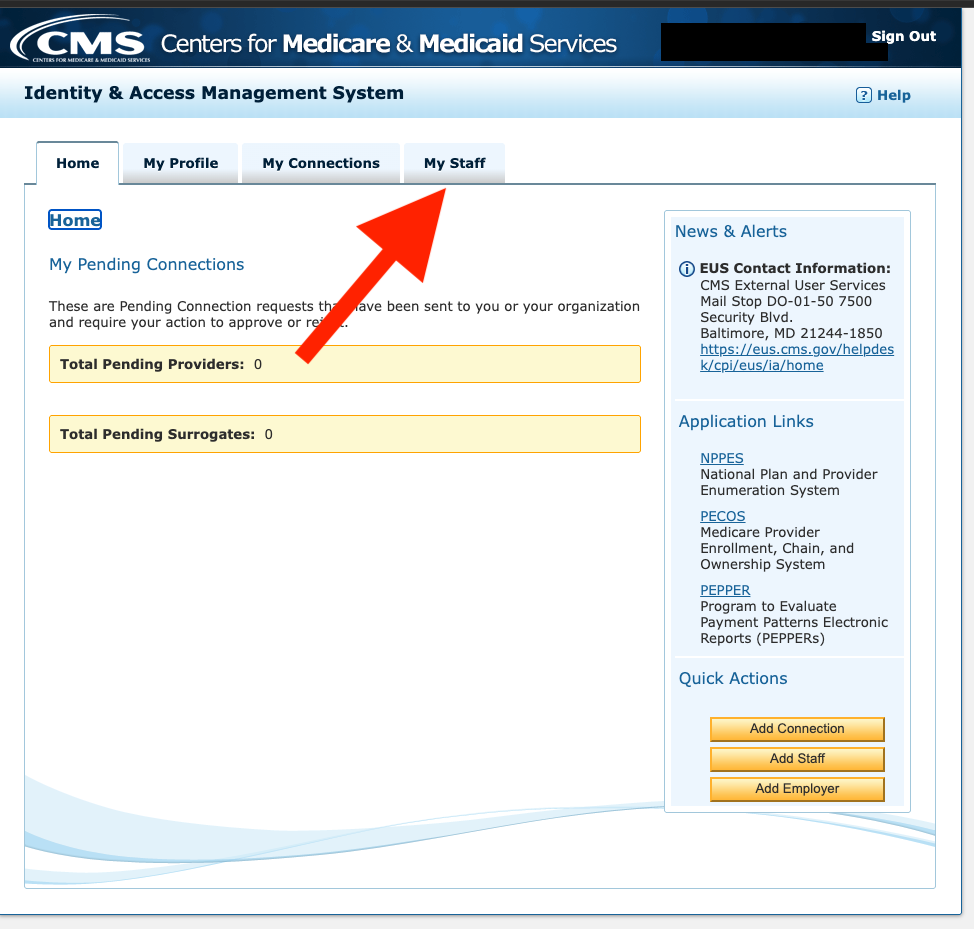
Screenshot source: inherited CMS I&A My Staff navigation illustration; original capture date unknown; identifying header values covered.
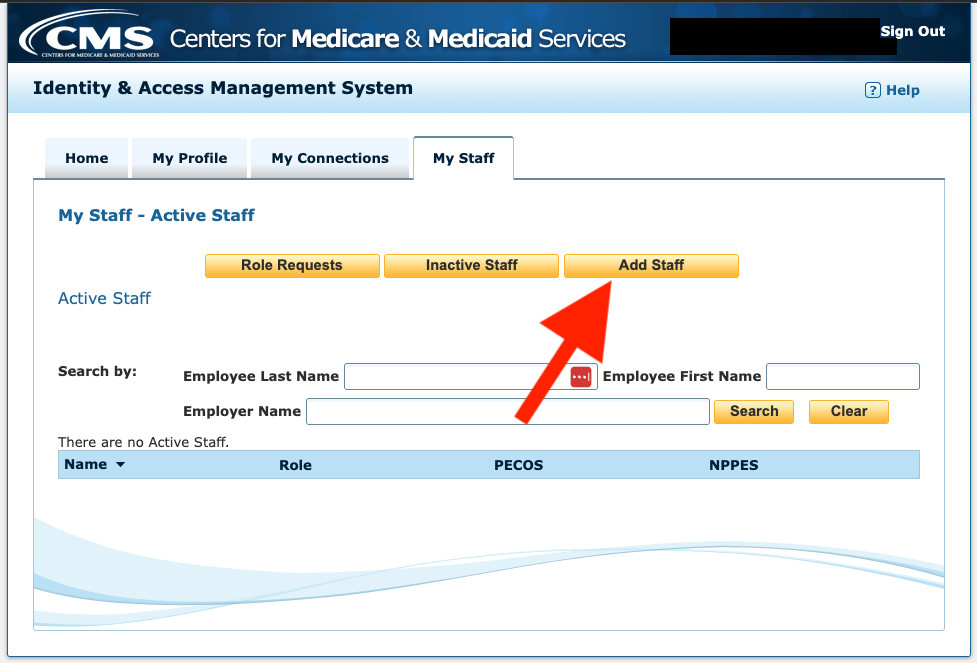
Screenshot source: inherited CMS I&A Add Staff illustration; original capture date unknown; identifying header values covered.
Connect a billing company as a surrogate
The billing company’s AO or AM uses My Connections to request a connection to the individual or organizational provider and selects the required business functions.
The provider’s authorized AO or AM reviews and approves the connection and functions in My Connections. Verify the requested organization before approval.
The billing company authorizes its own staff for that employer and the relevant surrogate provider functions. Each staff member still uses their own account.
I&A surrogate connections and staff access, pages 41–58 and 63–64 The connection does not make a biller the provider’s enrollment signer; follow CMS signing and enrollment guidance.
CMS I&A login errors and lockouts
Use Forgot Password or Retrieve Forgotten User ID from the official sign-in page. A successful login with no practice access is a different problem: check employer approval, the person’s role and the PECOS function. For account or MFA help, contact CMS External User Services at 866-484-8049 or EUS_Support@cms.hhs.gov. I&A recovery guide CMS enrollment support
Related Medicare portal guides
Frequently Asked Questions
How do I log in to CMS I&A?
Open the official I&A warning/sign-in page, accept its terms, and use your own user ID, password and MFA.
How do I authorize my biller for Medicare enrollment?
For staff access, your AO or AM invites the biller as a Staff End User with the PECOS business function. A separate billing company may instead need an approved surrogate connection and staff permissions.
Does my biller need to be an Access Manager?
Not for every enrollment task. Staff End Users can work in approved applications. Access Manager is appropriate when the person must manage staff and connections; only an AO can invite an AM.
Can one I&A login access multiple practices?
One person can have multiple approved employer relationships. The role and business functions must be granted for each employer.
Is CMS I&A the same as CMS IDM?
No. PECOS uses I&A credentials; Novitasphere uses CMS IDM credentials and its own approved roles.
Want Bomi to handle insurance billing?
Bomi helps therapy practices with benefit checks, claims, denials, balances, CAQH, attestations, and revenue management.
Book a call
About Bomi
Founded by George Ruan, Dax Earl, and Andrey Goder, Bomi helps independent therapists and group practices with insurance billing, credentialing, and payer follow-up. Bomi grew out of Dax’s experience helping his mother with her therapy practice, with a clear purpose: reduce the administrative burden of insurance while keeping practice owners in control.
Meet our founders