
IHCP PHP Login: Provider Healthcare Portal and Biller Access
By George Ruan • October 9, 2026
For IHCP PHP provider login, open the Official IHCP Provider Healthcare Portal login and sign in with your provider representative or authorized delegate account.
Last checked: October 9, 2026.
Sections
- Direct links: IHCP PHP login, registration and help
- TL;DR: use your own login, and give your biller their own
- Who needs their own IHCP PHP login
- Before you create access
- Account setup steps
- Add your biller as a delegate
- Connect a registered delegate
- IHCP PHP login errors and lockouts
- Which eligibility and claim functions are shown?
- Where do managed care tasks belong?
- Related provider guides
- Frequently Asked Questions
Direct links: IHCP PHP login, registration and help
Electronic Solutions support: 800-457-4584 — option 3, then option 2 for an IHCP Portal representative.
IHCP enrollment and maintenance actions — enrollment applications use the PHP.
The PHP login page looks like this: existing users enter their User ID and choose Log In; first-time users choose Register Now.
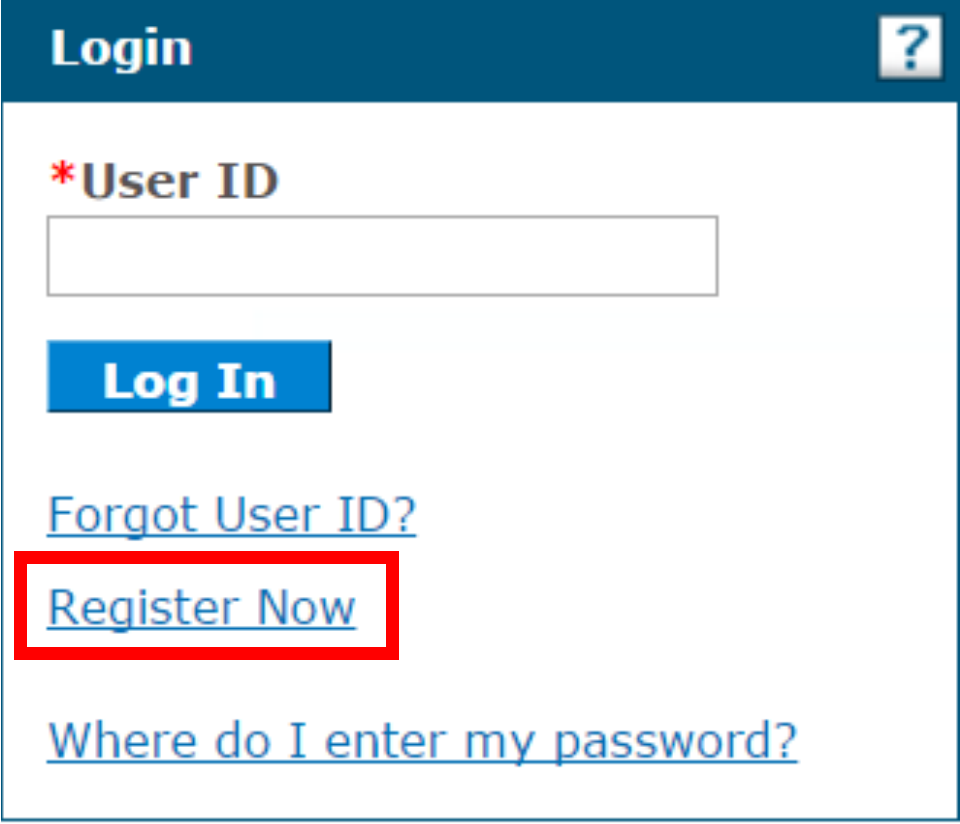
Screenshot source: Provider Healthcare Portal reference module v7.1 (July 3, 2025), PDF page 11 (printed page 5).
TL;DR: use your own login, and give your biller their own
Use your own PHP user ID. Your biller registers their own Delegate login after the practice representative grants access. The public provider-enrollment application does not require this login; joining or billing a managed care plan is a separate task. FSSA: Provider Healthcare Portal accounts and roles
Who needs their own IHCP PHP login
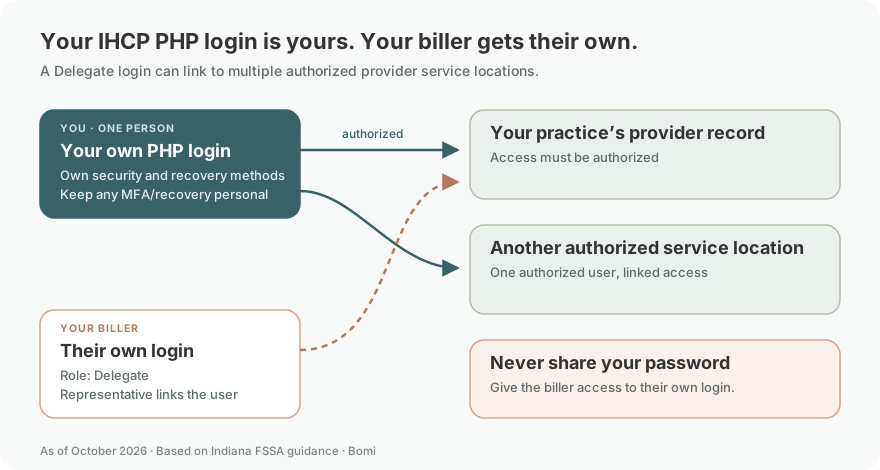
Each user must have their own user ID. The provider representative controls full service-location access and manages delegates; this role should not be assigned to contractors or trading partners, including an outside biller. A biller registers their own Delegate account using their own name and security details, and can use Switch Provider for multiple authorized service locations. Never share your password. Our security recommendation is that one person control each login’s challenge answers and recovery methods, including any MFA. The Provider account’s display name identifies its service location; a Delegate display name identifies the person. FSSA PHP accounts and roles IHCP PHP guide: representative, Delegate and security setup
Before you create access
Confirm the enrolled service location and designated representative. Each service location has one Provider account; the same person may represent multiple accounts. A delegate needs authorization and permissions before registering. FSSA: Provider Healthcare Portal accounts and roles
Account setup steps
Select Register Now, then Provider. Complete the personal and security information, choose a unique user ID and password, set up the site key, passphrase and challenge questions, and complete email verification. Use the public reference module for the detailed registration instructions. Provider Healthcare Portal reference module, July 2025
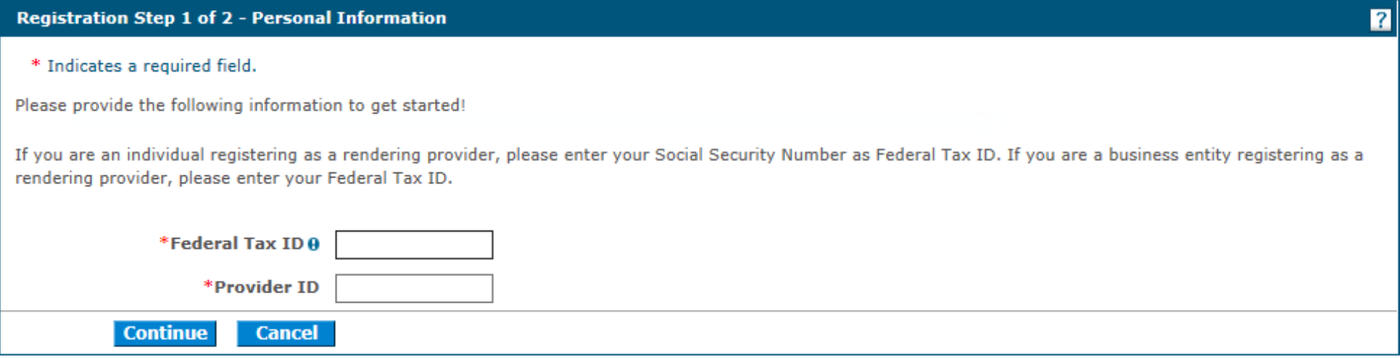
Screenshot source: Provider Healthcare Portal reference module v7.1 (July 3, 2025), PDF page 12 (printed page 6).
Add your biller as a delegate
From My Home, open User Details → Manage Accounts → Add New Delegate. Enter the requested identity details, choose the permitted functions, then Submit and Confirm. Securely provide the generated delegate code so the biller can register using Delegate with their own name, user ID and security setup. Keep recovery and any MFA with that person; never share the representative’s password. Provider Healthcare Portal reference module, July 2025
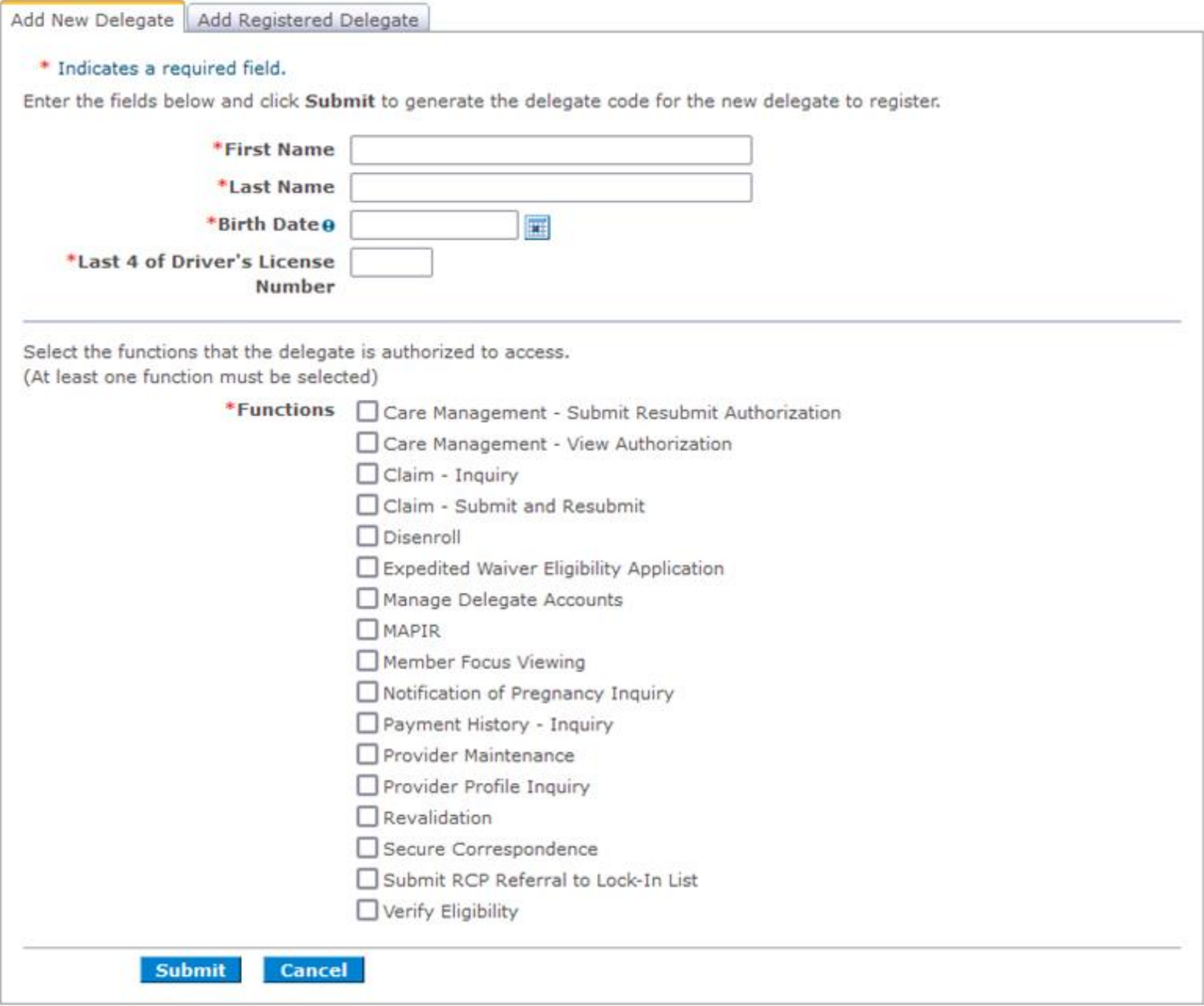
Screenshot source: Provider Healthcare Portal reference module v7.1 (July 3, 2025), PDF page 26 (printed page 20).
The module’s sample function list includes legacy authorization options. Its current instructions direct nonpharmacy FFS prior authorization to Atrezzo; use the delegate permissions relevant to today’s task.
Connect a registered delegate
For an existing user, use Add Registered Delegate with their last name and delegate code, then assign permissions. Users linked to several providers can use Switch Provider. Our recommendation is to confirm the intended service location before billing work. Provider Healthcare Portal reference module, July 2025
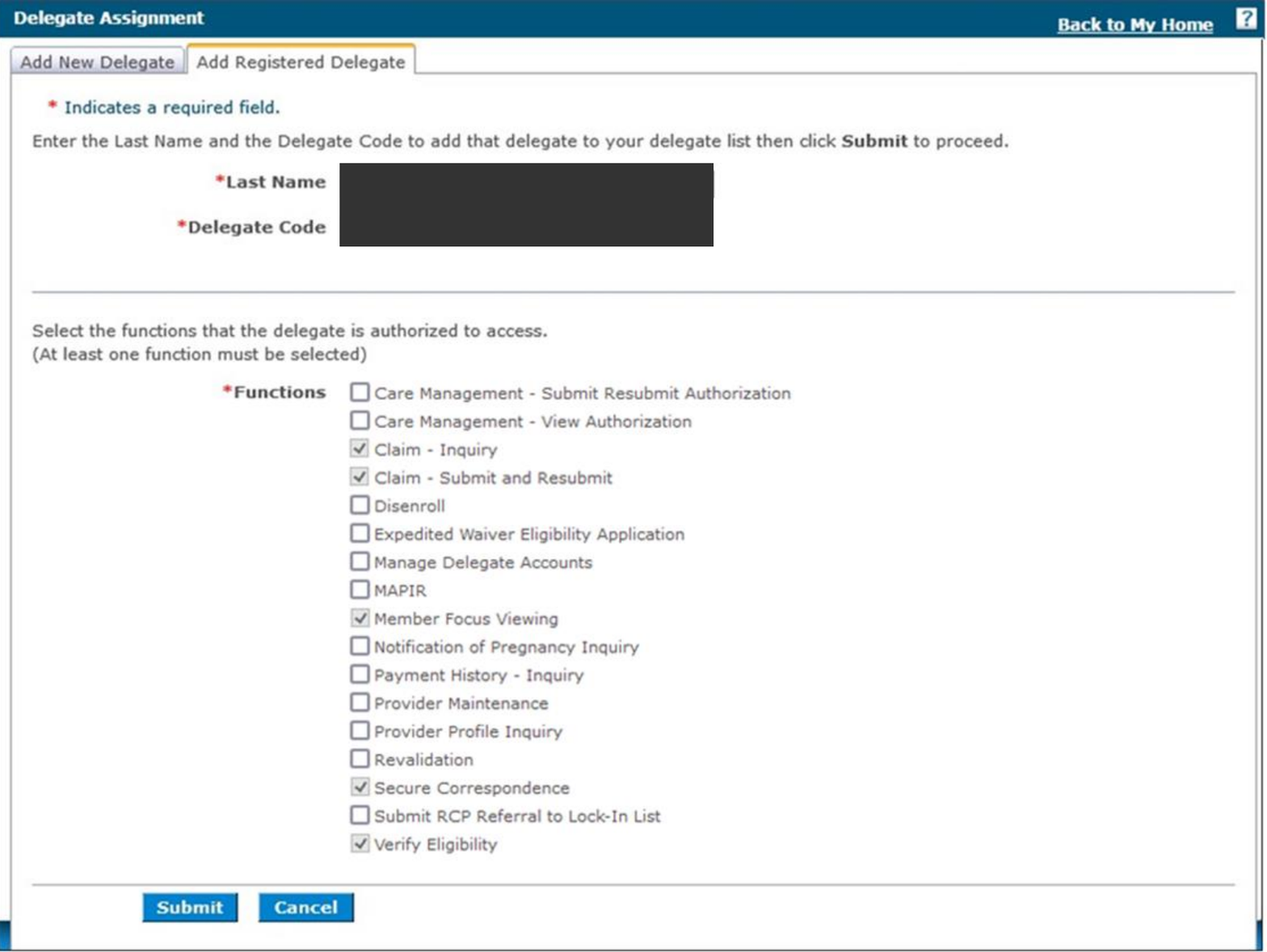
Screenshot source: Provider Healthcare Portal reference module v7.1 (July 3, 2025), PDF page 28 (printed page 22).
IHCP PHP login errors and lockouts
Use the documented recovery options for an existing account. If sign-in works but access is missing, ask the representative to check authorization, permissions and the selected service location. Contact the cited Electronic Solutions assistance line for technical registration or maintenance questions. FSSA: Provider Healthcare Portal accounts and roles
Which eligibility and claim functions are shown?
Use PHP eligibility details to review service-date coverage. The PHP’s FFS claim submission, status and payment functions concern nonpharmacy claims; the claim submission module explains the billing workflow. Claim Submission and Processing reference module, February 2026
Where do managed care tasks belong?
Use FSSA’s managed care provider enrollment instructions for plan participation. A PHP login does not establish a contract or access to each plan’s billing tools. FSSA: enrolling as a managed care program provider
Related provider guides
Indiana Medicaid Enrollment for Therapists: Type 11 and HSPP
Indiana Medicaid Behavioral Health Claims: PHP, MCEs and Modifiers
Indiana Medicaid Mental Health Telehealth Billing: POS and Modifiers
Frequently Asked Questions
Where is the IHCP provider portal login?
Open the official Provider Healthcare Portal linked in sentence one; it is also called the PHP or IHCP Portal.
How do I reset my IHCP PHP password?
Use the official portal’s recovery options and reference module. Electronic Solutions supports account maintenance at 800-457-4584, option 3 then option 2.
Can my biller use an IHCP PHP login?
Yes. Authorize the biller as a delegate with their own user ID and the permissions needed for the relevant service location.
Is an IHCP Portal account the same as MCE credentialing?
No. IHCP enrollment, PHP access and managed care plan participation are distinct tasks.
Want Bomi to handle insurance billing?
Bomi helps therapy practices with benefit checks, claims, denials, balances, CAQH, attestations, and revenue management.
Book a call
About Bomi
Founded by George Ruan, Dax Earl, and Andrey Goder, Bomi helps independent therapists and group practices with insurance billing, credentialing, and payer follow-up. Bomi grew out of Dax’s experience helping his mother with her therapy practice, with a clear purpose: reduce the administrative burden of insurance while keeping practice owners in control.
Meet our founders