
DC Medicaid Provider Portal Login: Create an Account and Add Your Biller
By George Ruan • October 9, 2026
For DC Medicaid Provider Portal provider login, open DC Medicaid sign-in and sign in with your own account.
Sections
Direct links: DC Medicaid login and account help
The DC provider login panel includes username and password recovery links, a privacy-policy checkbox and new-user registration.
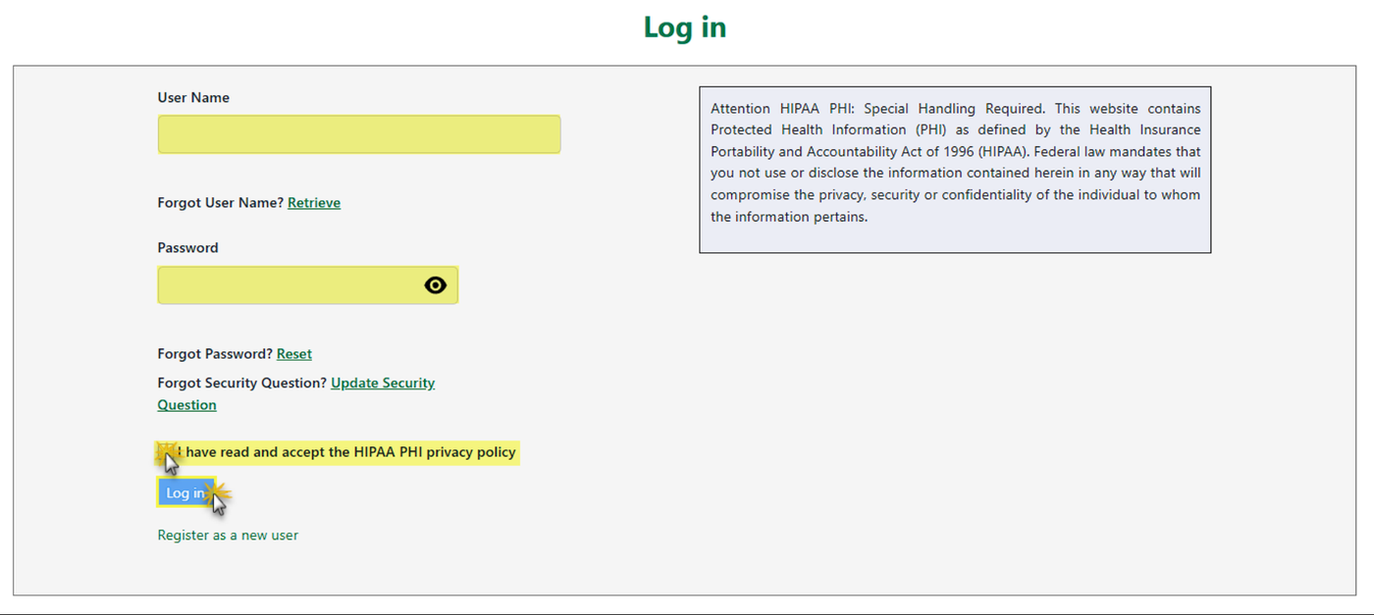
Screenshot source: DC Billing Provider Account Registration v1.12, PDF page 22.
TL;DR: use your own login, and give your biller their own
Use your own provider portal login and email PIN. Your biller gets their own Trading Partner Representative account through the administrator’s Manage Users invitation and assigned permissions. PDMS enrollment is a separate sign-in. Official guide.
Who needs their own DC Medicaid login
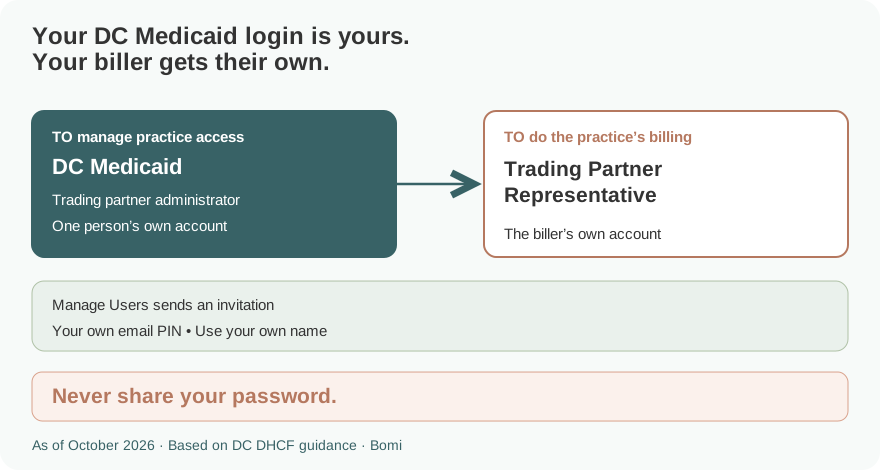
A trading partner administrator manages the users associated with the billing provider’s trading partner account. A representative uses their own account and the permissions assigned to that person. Never share your password or email PIN. An external billing agency can instead need the separate Billing Agent/Clearinghouse registration described in the official guide. Official guide.
Before you create access
For an already enrolled billing provider, have the provider’s identifying information and PIN available, plus the registering person’s name, address, phone and email. The registration guide asks for the appropriate FEIN or SSN, NPI and provider PIN. Use the values for the provider record you are registering. Official guide.
The current provider portal is medicaid.dc.gov. Provider enrollment in PDMS is a separate task; a provider portal login is not an enrollment approval. Official guide.
How to create your DC Medicaid account
From the provider portal, choose Register as a new user. In Register As, choose Provider - Already Enrolled for an existing enrolled provider. Complete the demographic information for the person and business. Official guide.
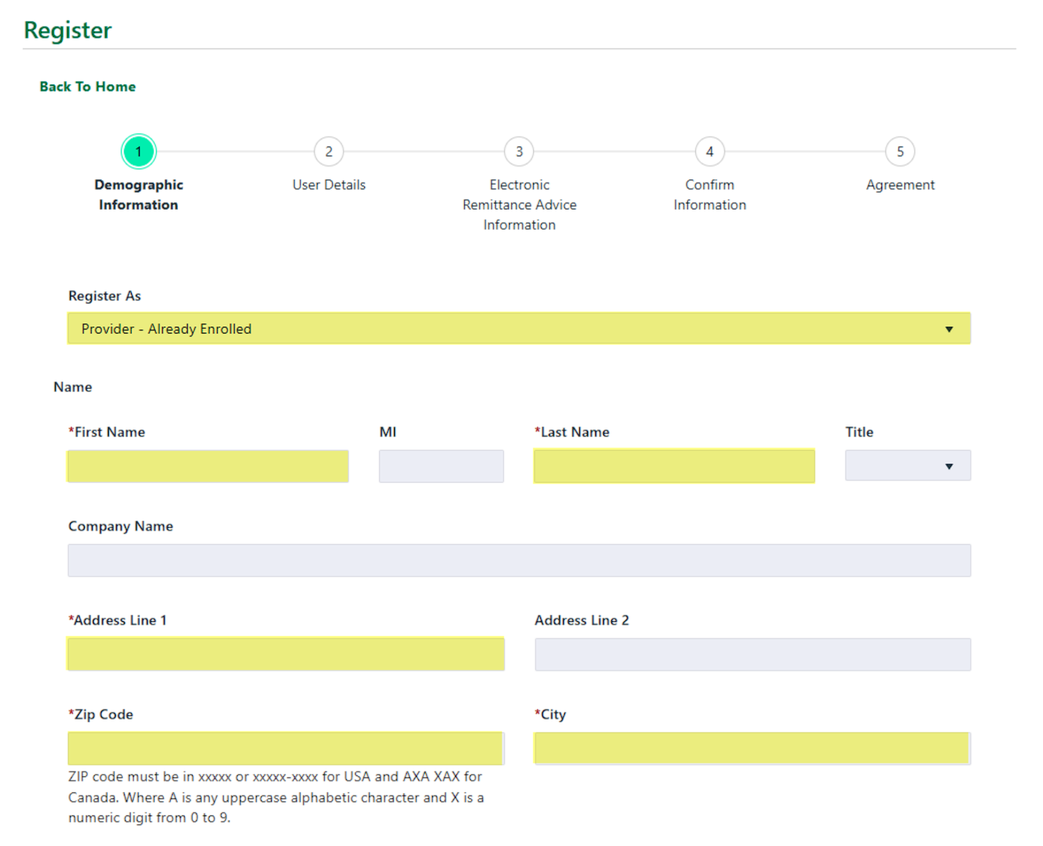
Screenshot source: DC Billing Provider Account Registration v1.12, PDF page 11.
Enter the required provider identifiers and PIN, then create your own username, password, email and security question/answer. Review the electronic remittance advice choices, confirmation and agreement sections. Complete the email confirmation before trying to sign in. Official guide.
On login, enter your own username and password, accept the HIPAA privacy policy, and complete the email PIN prompts. The guide shows Send PIN followed by entering the code sent to the account email. Official guide.
Add your biller
The administrator opens User Account > Manage Users and chooses Create User. Enter the biller’s first name, last name and email. Select the permissions needed for that person and submit; the portal sends an invitation email. Official guide.
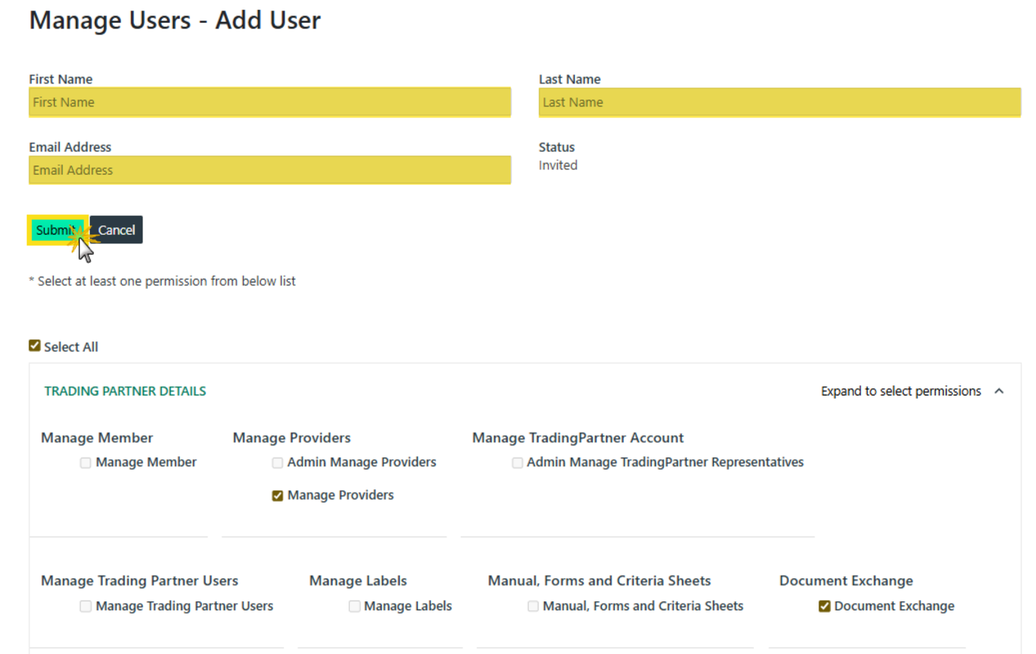
Screenshot source: DC Trading Partner Account Maintenance v1.15, PDF page 15.
The manual’s example includes Select All. Use the individual permissions that match the biller’s work rather than copying every selection in the example. The invitation creates separate access for the representative; it is not a reason to send the provider’s password. Official guide.
If the biller operates as an external billing agent or clearinghouse, consult the separate Billing Agent/Clearinghouse registration guide before choosing a registration type. Do not assume adding an internal representative and registering a billing agency are the same process. Official guide.
Login errors and account recovery
Use Retrieve for a forgotten username, Reset for a forgotten password, or Update Security Question from the sign-in panel. For assistance, the current portal home lists Provider Support at 866-752-9233. Use that current contact rather than the conflicting older number printed in the registration guide. Official guide.
Related guides
How Oregon MMIS accounts and biller access work explains a separate state’s access model. Use the guide for the state whose Medicaid program you bill.
Frequently Asked Questions
Where is the DC Medicaid provider portal login?
Open medicaid.dc.gov and use the provider Sign In route. The current provider portal uses a separate account from PDMS enrollment.
How do I register an already enrolled DC Medicaid provider?
Choose Register as a new user and Provider - Already Enrolled, then complete the demographic, provider identity, account and confirmation sections.
How do I add my biller to the DC Medicaid portal?
The trading partner administrator uses User Account > Manage Users > Create User, enters the biller’s name and email, assigns permissions and submits the invitation.
Does a billing agency use the same registration as a provider?
The official guides distinguish Provider - Already Enrolled from Billing Agent/Clearinghouse registration. Use the registration appropriate to the account.
What is the DC Medicaid portal support number?
The current medicaid.dc.gov portal lists Provider Support at 866-752-9233.
Planning a private practice?
Use Bomi's free Build resources to plan the business, provider identity, payer setup, and billing workflow before you see clients.
Use Build resources
About Bomi
Founded by George Ruan, Dax Earl, and Andrey Goder, Bomi helps independent therapists and group practices with insurance billing, credentialing, and payer follow-up. Bomi grew out of Dax’s experience helping his mother with her therapy practice, with a clear purpose: reduce the administrative burden of insurance while keeping practice owners in control.
Meet our founders