
TRICARE West Login: TriWest Provider Portal on Availity
By George Ruan • October 10, 2026
For TRICARE West provider login, open Availity Essentials and sign in with your own Availity user account. TriWest’s official provider portal page directs providers to this login.
Last checked: October 10, 2026.
Sections
- Direct links: TRICARE West login, access and help
- TL;DR: use your own login, and give your biller their own
- Who needs their own TRICARE West login
- Before you create access: confirm the TRICARE region
- Account setup and adding your biller
- Open the TRICARE West payer space
- Verify TRICARE West eligibility
- Route claims and authorizations to West
- Certification is separate from signing in
- Login errors and missing access
- Related TRICARE guides
- Frequently Asked Questions
Direct links: TRICARE West login, access and help
The public Availity sign-in page has User ID and Password fields, Sign In, and recovery links.
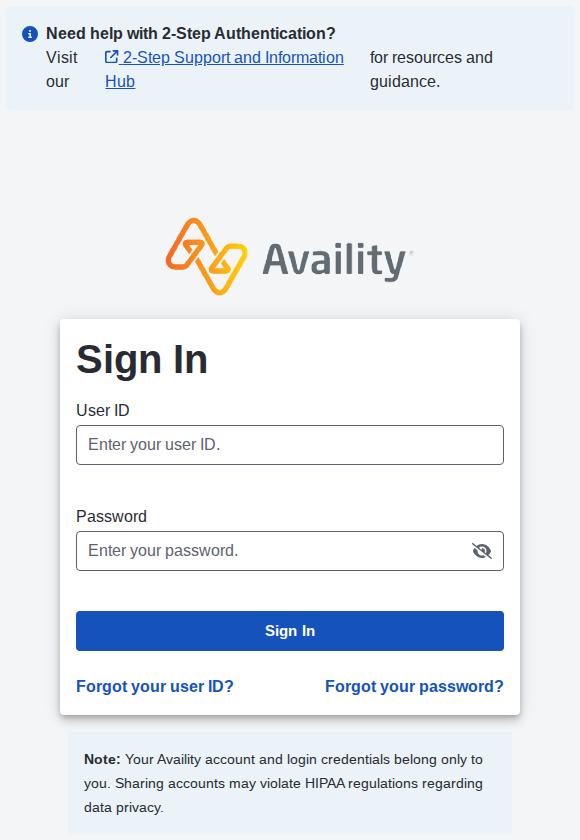
Screenshot source: Screenshot of the public Availity sign-in page, captured October 10, 2026.
TL;DR: use your own login, and give your biller their own
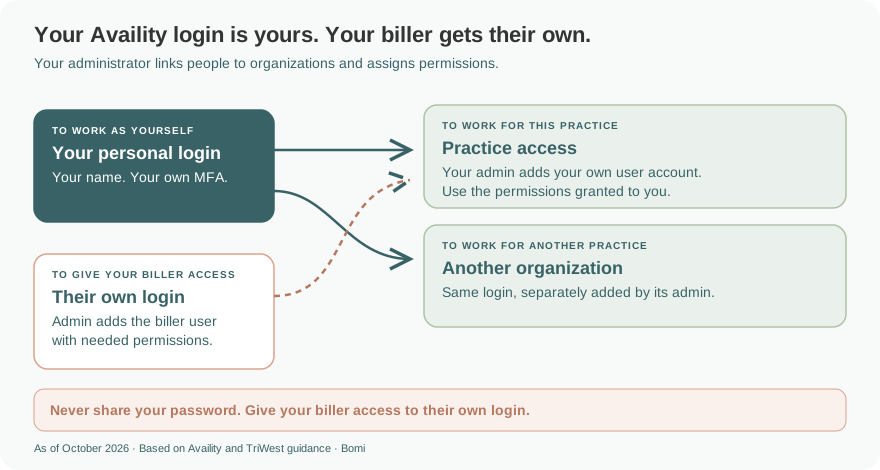
Use your own Availity login. Your biller uses their own user account, which your administrator adds to the practice with the permissions they need. Availity’s account rules prohibit sharing; TriWest certification and network contracting remain separate from portal access.
Who needs their own TRICARE West login
Every person needs their own account and two-step authentication. An existing Availity user can keep that login: their administrator can add the user to another organization. Never share your password with a biller.
Before you create access: confirm the TRICARE region
Use the official TRICARE region tool and confirm the patient’s plan. Humana Military handles East regional business; TriWest handles West. TRICARE For Life and US Family Health Plan have other contractor partners, so this East/West comparison does not replace checking the benefit.
If the work belongs to East, use our Humana Military provider login guide. An East self-service account is not a TriWest provider login.
Account setup and adding your biller
If you already use Availity, TriWest says to use your existing account. For practice registration or giving your biller access, follow Authorizing Your Biller for Availity. That guide covers the organization and user setup; this page covers the TRICARE West destination.
Your biller should ask the organization administrator for their own user access and the permissions needed for the work. TriWest’s payment handbook explicitly separates assigned user roles and Transaction Enrollment permission from simply signing in. There is no separate TriWest “biller login” to share.
Open the TRICARE West payer space
After signing in, select Payer Spaces, then TRICARE West. The current linked TriWest access guide, pages 9–10 shows this route and the resulting West payer-space page.
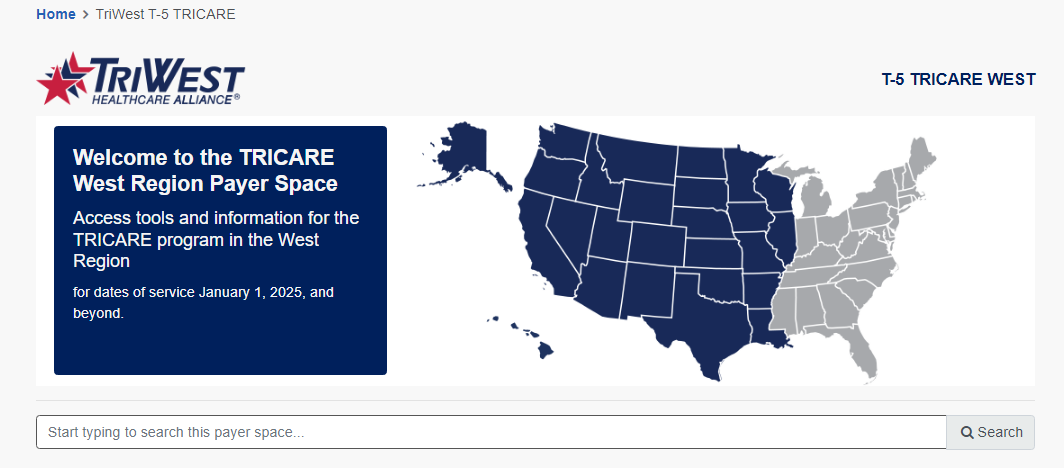
Screenshot source: Registering and Accessing the TRICARE West Secure Provider Portal on Availity Process Aid, October 20, 2025, page 10.
Verify TRICARE West eligibility
For coverage, use Patient Registration → Eligibility and Benefits Inquiry and select TRIWEST - TRICARE. TriWest’s eligibility instructions specify a nine-digit SSN or an 11-digit DEERS Beneficiary Number for Member ID, without spaces or dashes. Review the returned plan and benefits; a Uniformed Services ID card does not show the plan type.
Route claims and authorizations to West
West claims use payer ID 99726, according to TriWest’s claims guidelines. The documented routes include a clearinghouse, Availity’s Basic Clearinghouse and XPressClaim. The provider portal guide, pages 12–15 shows the general Availity Claims & Payments → Claims & Encounters route, completing claim fields and submitting a claim. Page 7 identifies XPressClaim as a separate payer-space application.
For XPressClaim setup, follow TriWest’s Using XPressClaim instructions: register with Availity if needed, sign in, open the TRICARE West – TriWest payer space, navigate to XPressClaim Claim Submission and sign up there. This application is separate from the general Availity claim form.
For referral or authorization requests, open TRICARE West → Applications → Submit Referral/Auth, then choose the organization in the referral management system. If you are unsure whether the service needs approval, use the Referral and Authorization Decision Support tool in Applications. Follow TriWest’s referral instructions for the patient and service rather than assuming every therapy visit follows one rule.
Certification is separate from signing in
TriWest’s certification page explains TRICARE-authorized provider status. If you have not signed a network agreement, use the applicable non-network provider application and follow its instructions. A network request uses the separate Join Our Network route. Neither approval is created by registering an Availity user.
Login errors and missing access
For a forgotten user ID or password, start at the recovery links on the official sign-in page. For verification trouble, use Availity’s current two-step help and follow the methods offered for your account.
If you can sign in but lack organization access, find the administrator through My Account → Organization(s) → Open My Administrators. TriWest’s portal instructions give Availity support at 800-282-4548. For problems submitting a referral, TriWest offers chat or 888-874-9378. Ask about the missing access or transaction rather than creating a duplicate account.
Related TRICARE guides
Frequently Asked Questions
Where is the TRICARE West provider portal login?
TriWest directs TRICARE West providers to Availity Essentials. Sign in with your own Availity user account, then choose Payer Spaces and TRICARE West.
Do I need a new Availity login for TriWest?
TriWest says existing Availity users can keep their account. The organization administrator manages user access and permissions; signing in is separate from TRICARE certification and contracting.
How do I give my biller TRICARE West portal access?
Your biller uses their own Availity user account. Ask your organization administrator to add that user and assign the needed permissions. Follow the existing Availity biller-authorization guide; never share your password.
How do I verify TRICARE West eligibility in Availity?
Open Patient Registration, then Eligibility and Benefits Inquiry, and select TRIWEST - TRICARE. Follow TriWest’s Member ID instructions and review the returned plan and benefits.
What is the TRICARE West payer ID?
TriWest’s current West claims guidelines list 99726. Humana Military’s East route uses a different payer ID; do not choose a claims destination merely from which portal account you already have.
Where do I submit TRICARE West authorizations?
In the TRICARE West payer space, choose Applications and Submit Referral/Auth, then select your organization. Use the Referral and Authorization Decision Support tool if you need to determine whether approval is required.
Want Bomi to handle insurance billing?
Bomi helps therapy practices with benefit checks, claims, denials, balances, CAQH, attestations, and revenue management.
Book a call
About Bomi
Founded by George Ruan, Dax Earl, and Andrey Goder, Bomi helps independent therapists and group practices with insurance billing, credentialing, and payer follow-up. Bomi grew out of Dax’s experience helping his mother with her therapy practice, with a clear purpose: reduce the administrative burden of insurance while keeping practice owners in control.
Meet our founders