
SoonerCare Login: Provider Portal, Clerk and Biller Access
By George Ruan • October 9, 2026
For SoonerCare provider login, open SoonerCare official login and use your own provider, Clerk or Billing Agent account.
Links and current guide versions checked October 9, 2026. For provider and biller information, see the official Medicaid provider page.
Sections
- Direct links: SoonerCare sign-in, setup and help
- TL;DR: use your own login, and give your biller their own
- Who needs their own SoonerCare login
- Before you create access
- Create or use your SoonerCare account
- Add your biller: Clerk or Billing Agent
- Login errors, forgotten IDs and missing access
- Related guides
- Frequently Asked Questions
Direct links: SoonerCare sign-in, setup and help
Password recovery: Medicaid on the Web, PDF pages 32–33; after the User ID and challenge-question steps, choose Forgot Password?.
Internet Help Desk: Provider Portal Access form and recovery help; SoonerCareInternetHelpDesk@gainwelltechnologies.com
The SoonerCare sign-in page looks like this. Use your own account when signing in.
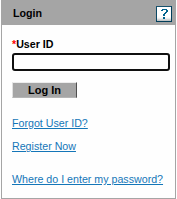
Screenshot source: Screenshot of the public SoonerCare sign-in page, captured October 9, 2026.
TL;DR: use your own login, and give your biller their own
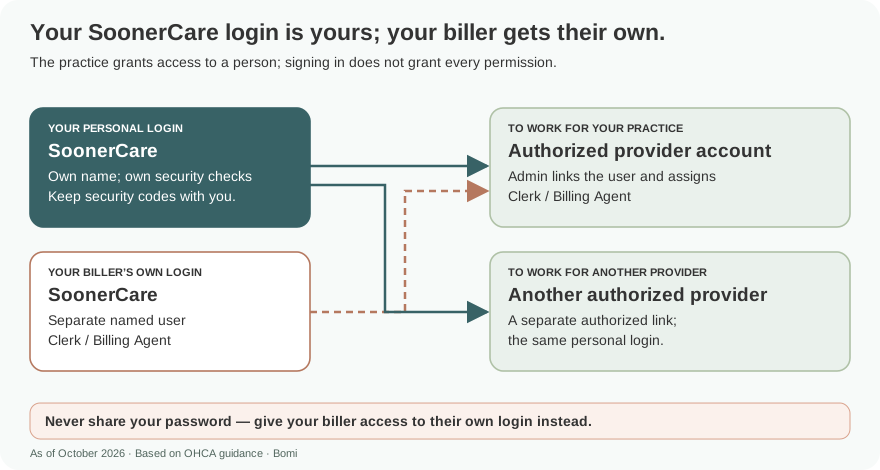
Use your own login. Your biller uses their own Clerk account or registered Billing Agent account, with the provider granting its functions. Portal access and provider enrollment are separate tasks. official guide.
Who needs their own SoonerCare login
Keep the login and recovery information with the person who uses the account. Our recommended access practice is to give each biller their own login and never share your password. The guide supports authorizing an existing Clerk for another provider, with functions set separately for that provider. official guide.
Before you create access
Have the provider’s identifying information and PIN available for provider registration. If access information is missing, the current OHCA Claim Tools page directs providers to email the Provider Portal Access form to SoonerCare Internet Help Desk; fax is discontinued. official guide.
Create or use your SoonerCare account
Existing users enter their User ID first, then check the SiteKey before entering the password. New users choose Register Now and the appropriate account type. Follow the current Medicaid on the Web guide for the provider or delegated account being registered. official guide.
Add your biller: Clerk or Billing Agent
For a new Clerk, the provider opens account management and Add New Clerk, supplies the requested person identifiers, selects permitted functions, and submits and confirms. Give the resulting clerk code to that person for their own registration. Active Pending means the Clerk has not completed registration. For a registered Billing Agent, add its agent code and assign functions. official guide.
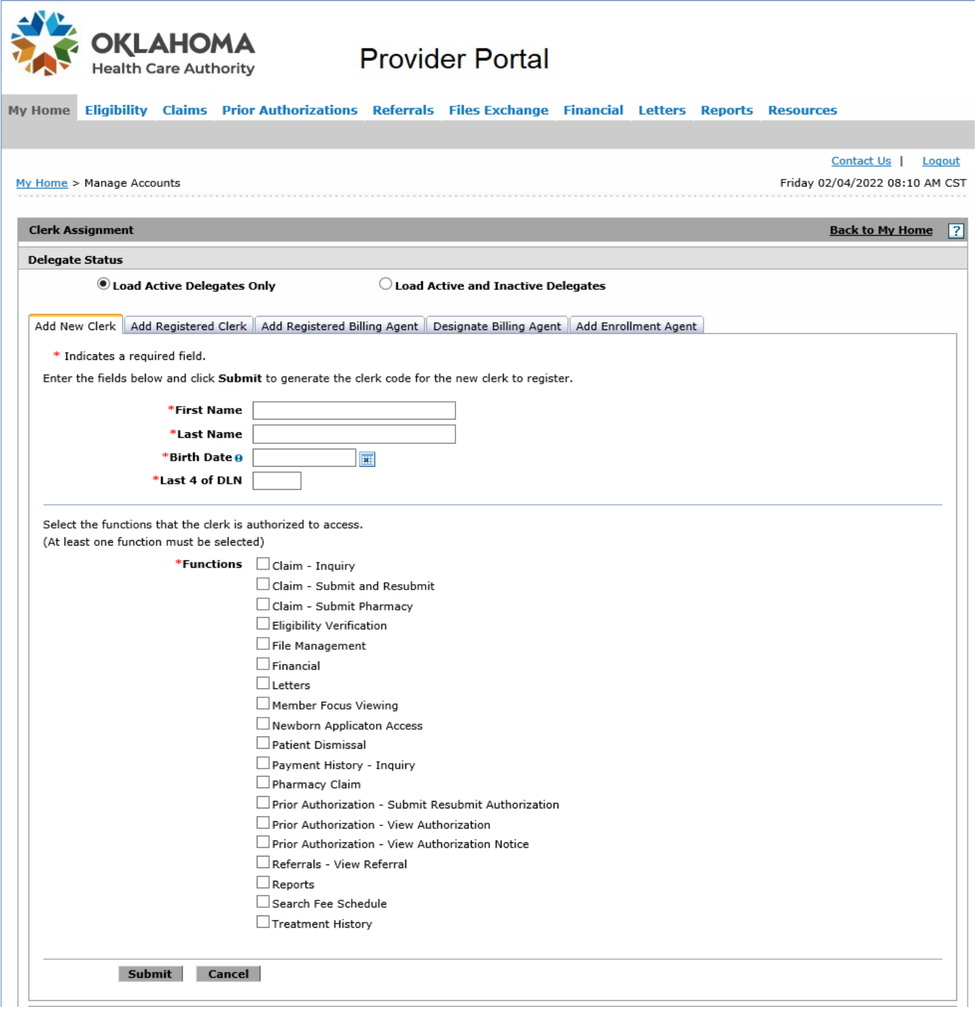
Screenshot source: Medicaid on the Web v3.37, June 6, 2025, PDF 22, printed 8.
Login errors, forgotten IDs and missing access
Use Forgot User ID on the public sign-in page or the recovery instructions in Medicaid on the Web. If the expected SiteKey does not appear, follow the guide’s security instructions rather than entering a password. Provider Portal Access help is the OHCA form route described above. official guide.
Related guides
Check which provider number the account should represent in our NPI Type 1 vs Type 2 guide. For help with practice enrollment and payer access, see Bomi credentialing support.
Frequently Asked Questions
Where is the SoonerCare secure provider portal login?
Use ohcaprovider.com. The public page starts with User ID, followed by the SiteKey and password stages.
How do I add a Clerk to SoonerCare?
The provider chooses Add New Clerk, enters the requested identifiers and functions, submits and confirms, then gives the clerk code to the biller for their own registration.
Why is my SoonerCare Clerk Active Pending?
The Medicaid on the Web guide uses Active Pending for a Clerk who has not yet completed their own portal registration.
Planning a private practice?
Use Bomi's free Build resources to plan the business, provider identity, payer setup, and billing workflow before you see clients.
Use Build resources
About Bomi
Founded by George Ruan, Dax Earl, and Andrey Goder, Bomi helps independent therapists and group practices with insurance billing, credentialing, and payer follow-up. Bomi grew out of Dax’s experience helping his mother with her therapy practice, with a clear purpose: reduce the administrative burden of insurance while keeping practice owners in control.
Meet our founders