
MES Login: Provider Portal MFA, Reset and Locked Accounts
By George Ruan • October 9, 2026
For MES provider login, open the official Virginia MES sign-in page and sign in with your own MES user account. If you searched “mes portal login” or “mcd va provider portal,” match the symptom below before changing your account. Checked October 9, 2026.
Sections
- Direct links: MES login, password reset and support
- TL;DR: use your own login, and give your biller their own
- Who needs their own MES login
- Before retrying MES sign-in
- Find Where MES Login Stops
- MES MFA Code Missing or Not Working
- Reset a MES Provider Password
- Locked MES Account vs Inactive PRSS Account
- What your MES login opens
- Signed In but the Provider Record Is Missing
- Add your biller with their own Delegate access
- Get the Right MES Help
- Related Virginia Medicaid Guides
- Frequently Asked Questions
Direct links: MES login, password reset and support
The MES sign-in panel has Username and Password fields, Reset password, Having trouble logging in and SIGN-IN.
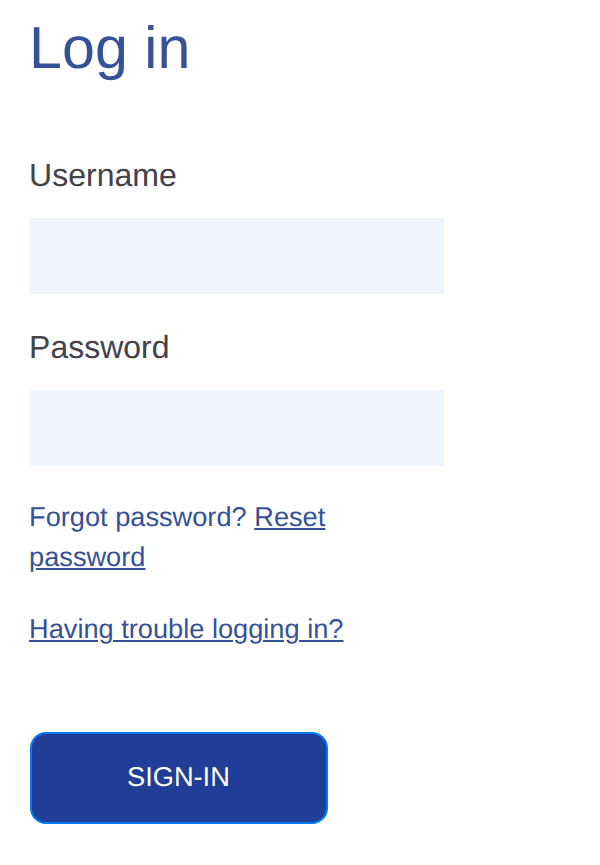
Screenshot source: Screenshot of the public MES sign-in page, captured October 9, 2026.
TL;DR: use your own login, and give your biller their own
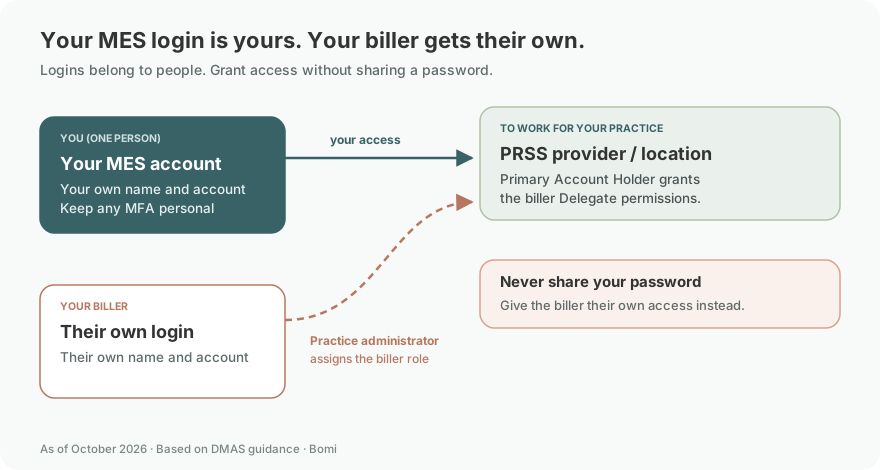
Use your own MES account and your own MFA. Your biller uses their own Delegate login; the practice’s Primary Account Holder grants provider and service-location permissions. Provider enrollment, FFS authorization and plan contracts remain separate. DMAS account and Delegate guidance.
Who needs their own MES login
The owner and biller each use their own credentials and MFA. The Primary Account Holder (PAH) authorizes the biller as a Delegate for the provider record; never share your password or MFA code. MES MFA guidance; DMAS PAH and Delegate guidance.
Before retrying MES sign-in
Use the credentials issued to you and confirm that you can receive messages at your registered email or phone. If you need first-time access, follow the existing MES/PRSS account setup guide. This page focuses on recovery and missing permissions. DMAS sign-in guidance.
Find Where MES Login Stops
Before the menu: check the user ID, password and MFA message.
After the menu: check permission for the module and provider location you need.
A deactivated account: follow the reactivation process rather than repeated password resets.
DMAS distinguishes secure sign-in from provider access in its login help and provider FAQ. Keep the exact error text and the stage where it appears when asking for help.
MES MFA Code Missing or Not Working
Email MFA is available by default; SMS requires a mobile number already in the account. Check spam for messages from Donotreply@healthinteractive.net. The sign-in FAQ says a code lasts 40 minutes. If another delivery method is available, use BACK to select it. DMAS MFA instructions.
For a changed phone number, follow the profile-maintenance instructions for the module that registered your account. Do not assume a new number can be entered on the MFA screen. Official phone-update guidance.
Reset a MES Provider Password
Open the official MES login page and choose Reset password.
Enter the registered email address and the CAPTCHA requested by the page.
Use the temporary password sent to that email, then set a new password when prompted.
These are DMAS’s instructions for non-DMAS users. Follow the live password requirements and keep the temporary password private. MES password-reset FAQ. If the practice has lost access to the registered mailbox, contact support instead of creating a duplicate provider enrollment.
Locked MES Account vs Inactive PRSS Account
A MES lock after three invalid login attempts automatically clears after 30 minutes. Stop guessing while locked. MES lock policy.
Inactivity deactivation follows a different process: the Owner or Managing Employee listed in the provider portal must complete the Access Request form. PRSS support is 888-829-5373. Provider account FAQ.
Find the official Access Request form. Ask which process matches your error; a temporary sign-in lock does not by itself mean the provider enrollment has expired.
What your MES login opens
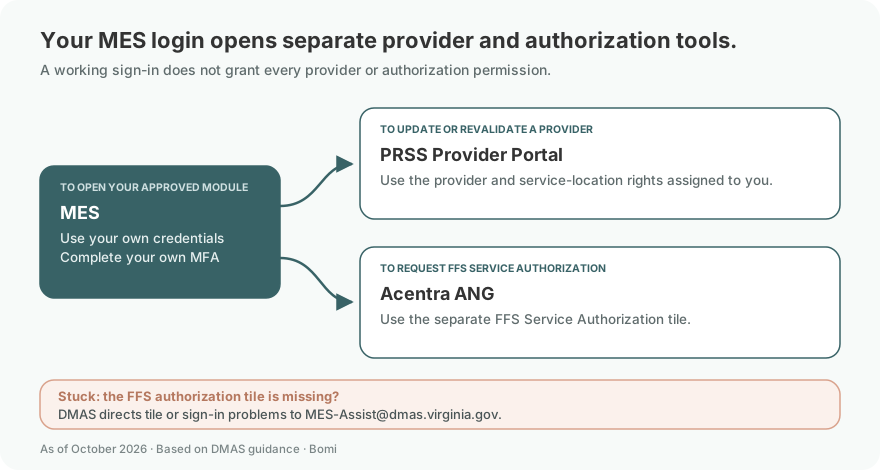
MES shows the applications available to your account. PRSS provider maintenance uses provider/location permissions; FFS service authorization uses the separate Acentra ANG tile. From August 1, 2026, MES access is required for ANG; if the authorization tile is missing, contact MES-Assist@dmas.virginia.gov. Current DMAS ANG bulletin; Provider Portal Guide, access and roles.
Signed In but the Provider Record Is Missing
The Primary Account Holder authorizes delegates. Ask your practice’s PAH to review the access assigned to you rather than sharing the PAH password. DMAS delegate guidance.
If you need first-time setup, use the existing MES/PRSS account guide and biller access guide. This troubleshooting page assumes an account has already been requested or issued.
Add your biller with their own Delegate access
The PAH or an authorized administrator adds the biller as a Delegate using the biller’s own account. For an already registered person, open Maintenance, Manage Delegates, then Add Registered Delegate and identify that user; follow the guide’s separate unregistered-user route when appropriate. Provider Portal Guide, printed page 122.

Screenshot source: Virginia Provider Portal User Guide R30.21, April 2026, printed page 122 (PDF page 133).
Assign the appropriate service locations and move the allowed Security Functions into Selected Functions. The biller signs in with their own credentials and own MFA; never share the PAH password. Provider Portal Guide, printed page 121.
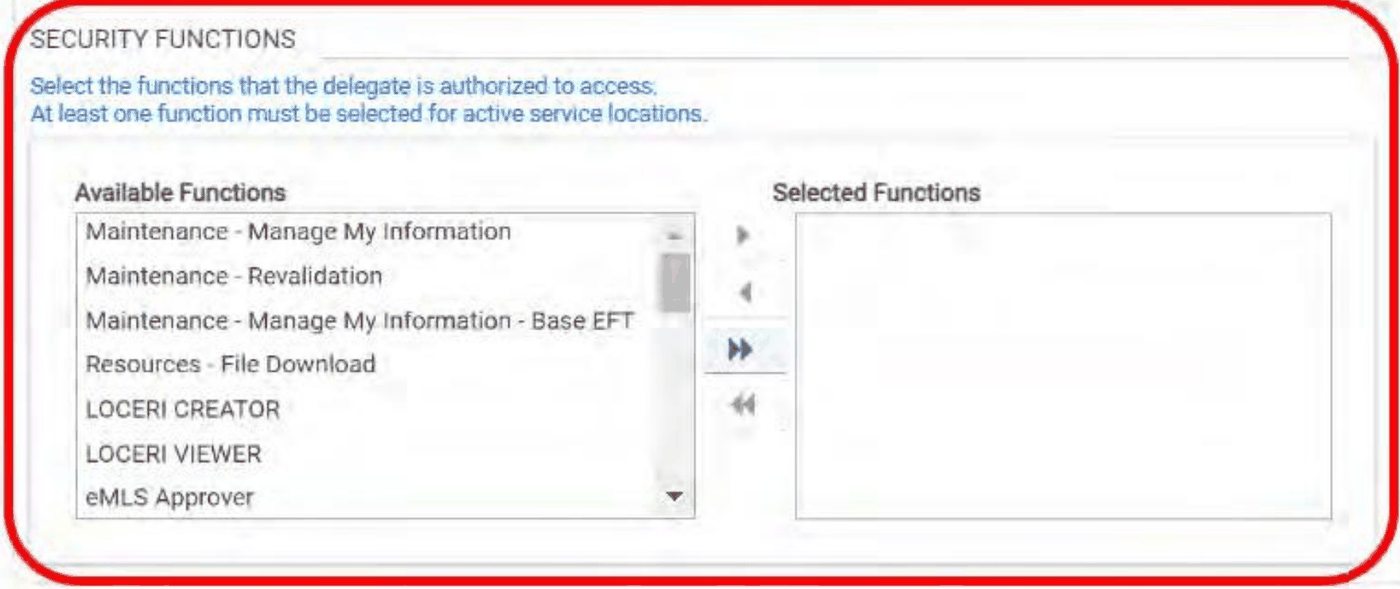
Screenshot source: Virginia Provider Portal User Guide R30.21, April 2026, printed page 121 (PDF page 132).
For the full account-access procedure, continue to the existing Virginia MES/PRSS biller access guide.
Get the Right MES Help
For general MES sign-in questions, contact MES-Assist@dmas.virginia.gov, listed in the sign-in FAQ. For provider credentials or delegates, call 888-829-5373, listed in the provider FAQ. Share the error and affected module; never send your password or MFA code.
Related Virginia Medicaid Guides
Frequently Asked Questions
Why am I not receiving my MES MFA code?
Check spam for the system email. SMS is available only when a mobile number is already registered; use BACK to choose another available method. Contact MES support if delivery still fails.
How long is my MES account locked?
The MES sign-in FAQ says three invalid attempts cause a temporary lock that clears automatically after 30 minutes. Inactivity deactivation is a separate Access Request process.
Where is the MES provider portal login?
The official secure entry is login.vamedicaid.dmas.virginia.gov. First-time account and delegate setup are covered in our existing MES/PRSS account guide.
Does a password reset reactivate an inactive PRSS account?
Inactivity deactivation has a separate Access Request process. Ask PRSS support to identify the issue before creating another account.
Why can I log in but not see my provider record?
Review module and service-location permissions with the practice’s Primary Account Holder. Successful sign-in alone does not establish the access needed for every provider task.
Want Bomi to handle insurance billing?
Bomi helps therapy practices with benefit checks, claims, denials, balances, CAQH, attestations, and revenue management.
Book a call
About Bomi
Founded by George Ruan, Dax Earl, and Andrey Goder, Bomi helps independent therapists and group practices with insurance billing, credentialing, and payer follow-up. Bomi grew out of Dax’s experience helping his mother with her therapy practice, with a clear purpose: reduce the administrative burden of insurance while keeping practice owners in control.
Meet our founders