
South Dakota Medicaid Portal Login: Account Setup and Biller Access
By George Ruan • October 10, 2026
For South Dakota Medicaid Portal provider login, open South Dakota Medicaid Portal provider login and sign in with your own Provider Admin or Provider User account.
Last checked: October 10, 2026.
Sections
- Direct links: South Dakota Medicaid Portal login, registration and help
- TL;DR: use your own login, and give your biller their own
- Who needs their own South Dakota Medicaid Portal login
- Before you create access
- Account setup steps
- Add your biller as a Provider User
- Login errors and lockouts
- Related guides
- Frequently Asked Questions
Direct links: South Dakota Medicaid Portal login, registration and help
South Dakota Medicaid Portal login / Register / Forgot Password — Username is your login email.
DSS portal resources and help — DSSonlineportal@state.sd.us.
Medicaid Portal User Guide — registration, user administration and permissions.
Provider enrollment resources — the separate enrollment portal.
The South Dakota Medicaid login page uses your email as Username and offers Register and Forgot Password.
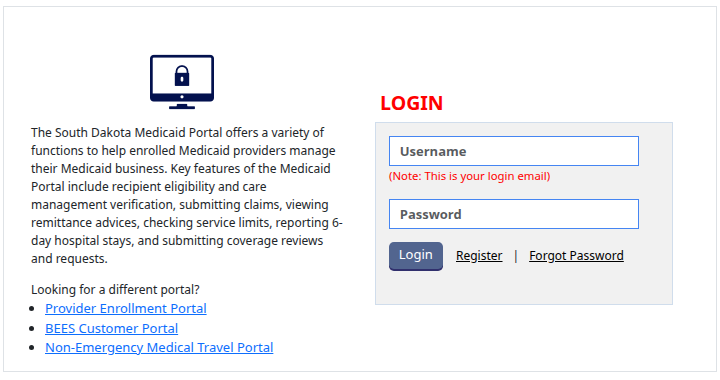
Screenshot source: Screenshot of the public South Dakota Medicaid Portal sign-in page, captured October 10, 2026.
TL;DR: use your own login, and give your biller their own
Use your own login email. Your Provider Admin adds your biller as a Provider User and chooses the billing provider numbers and permissions they need. The Provider Enrollment Portal is separate from this Medicaid Portal. Official portal guidance.
Who needs their own South Dakota Medicaid Portal login
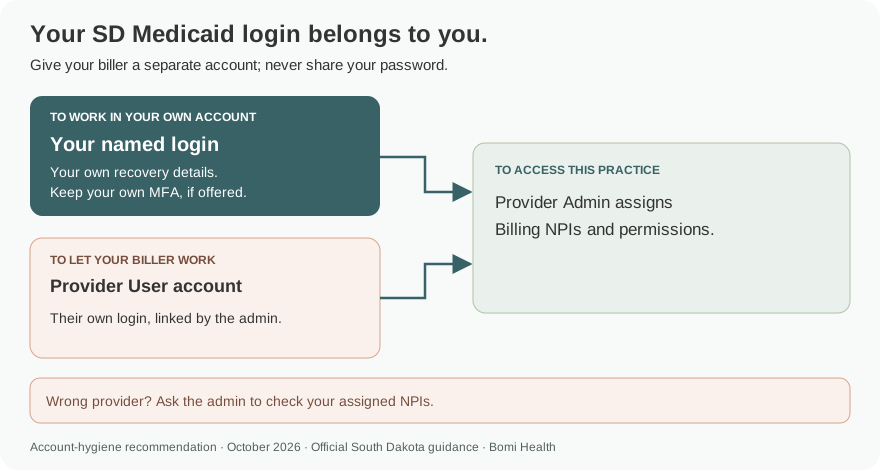
The guide distinguishes Provider Admin from Provider User. The administrator adds users and chooses their access to Billing NPIs and functions; the guide allows access to more than one Billing NPI. Our recommendation is to use one named account per person, keep recovery details and any offered MFA with its owner, and never share your password. Official portal guidance.
Before you create access
Have the enrolled provider’s PE System ID, tax ID and Billing NPI ready. The current DSS portal page calls the number the PE System ID, formerly SDMEDX ID; the older guide screenshot below still labels the field SDMEDX ID. Check the enrollment record rather than substituting a different provider number. Official portal guidance.
Account setup steps
On the login page choose Register for initial Provider Admin access. Complete contact information and identify the Billing NPI or NPIs requested, using the provider system ID and tax ID. Submit the request and follow the state’s approval and account-email instructions. Medicaid Portal User Guide.
Once access is granted, use your registered email as Username. A staff member or biller joining an existing practice account should be added by its Provider Admin. The current login page separately links the Provider Enrollment Portal for enrollment work. South Dakota Medicaid login.
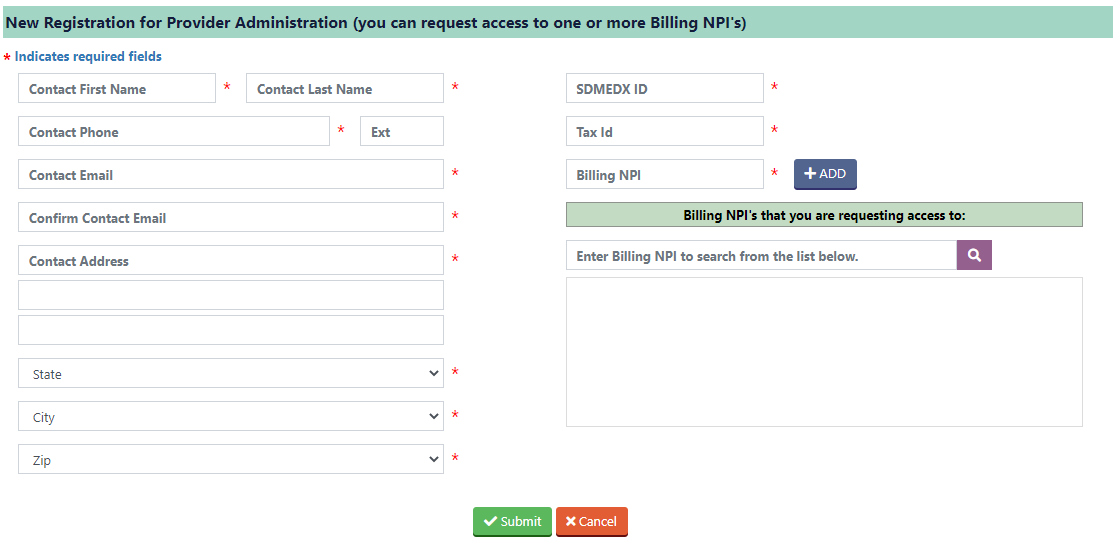
Screenshot source: South Dakota Medicaid Portal User Guide (marked Updated August 22), PDF page 2.
Add your biller as a Provider User
The Provider Admin opens Administration > User Maintenance and chooses Add User. Select Provider User and enter the biller’s contact information and their own email; choose Next. Medicaid Portal User Guide, Add Provider User.
Assign the Billing and Servicing NPIs and permissions needed for the job, then complete the account-creation prompts. Provider User is distinct from Provider Admin. Our recommendation is to grant the functions the biller needs without sharing the administrator login. Medicaid Portal User Guide, user permissions.
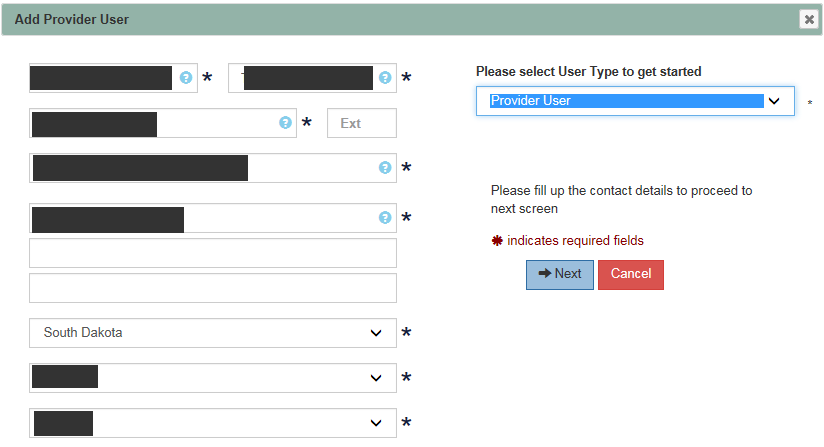
Screenshot source: South Dakota Medicaid Portal User Guide (marked Updated August 22), PDF page 11.
Login errors and lockouts
Choose Forgot Password on the current login page when you cannot sign in. Remember that Username means the email used for the account. If you need additional access help, the DSS portal resource page lists DSSonlineportal@state.sd.us. DSS portal help.
If the correct provider or function is missing after login, ask the Provider Admin to review your assigned NPIs and permissions. A working login alone does not change the access assigned to that user. Medicaid Portal user administration.
Related guides
Frequently Asked Questions
Where is the South Dakota Medicaid provider portal login?
Use the Medicaid Portal at dssapps.appssd.sd.gov/ocp. The current login page says Username is your login email.
What provider number do I need to register for the SD Medicaid portal?
The current DSS resource page identifies the PE System ID, formerly SDMEDX ID. Registration also uses tax ID and Billing NPI; the older guide image still says SDMEDX ID.
How do I give my biller access to South Dakota Medicaid?
A Provider Admin opens Administration > User Maintenance, adds a Provider User with the biller’s own email, and assigns the appropriate NPIs and permissions.
Is the South Dakota Medicaid Portal the Provider Enrollment Portal?
They are separate portals. The Medicaid login page includes a separate Provider Enrollment Portal link for enrollment work.
Planning a private practice?
Use Bomi's free Build resources to plan the business, provider identity, payer setup, and billing workflow before you see clients.
Use Build resources
About Bomi
Founded by George Ruan, Dax Earl, and Andrey Goder, Bomi helps independent therapists and group practices with insurance billing, credentialing, and payer follow-up. Bomi grew out of Dax’s experience helping his mother with her therapy practice, with a clear purpose: reduce the administrative burden of insurance while keeping practice owners in control.
Meet our founders