
ICAP Login: Montana Medicaid Provider Services Portal
By George Ruan • July 14, 2026
For Montana ICAP provider login, open the official MES Integrated Customer Access Portal and sign in with your own registered email address and password. Use the Provider tile for the Provider Services Portal.
Login routes and current state-linked guides checked October 10, 2026.
Sections
- Direct links: ICAP provider portal login, password help and enrollment
- TL;DR: use your own login, and give your biller their own
- Who needs their own ICAP login
- Before you create access: existing ICAP user or new provider
- ICAP provider account setup and first sign-in
- Add your biller with the Claims role
- ICAP login errors, MFA and password recovery
- Related Montana Medicaid guides
- Official sources
- Frequently Asked Questions
Direct links: ICAP provider portal login, password help and enrollment
Montana ICAP provider login: the Provider tile opens the provider route.
New provider enrollment and account help: use provider instructions, not the member registration link.
Existing-user login and recovery guide: the ICAP username is your registered email address.
Provider Relations help: 800-624-3958 or mtprhelpdesk@conduent.com.
MATH claims and eligibility login: separate credentials; not your ICAP account.
The public ICAP sign-in panel looks like this; use your own registered email as the username.
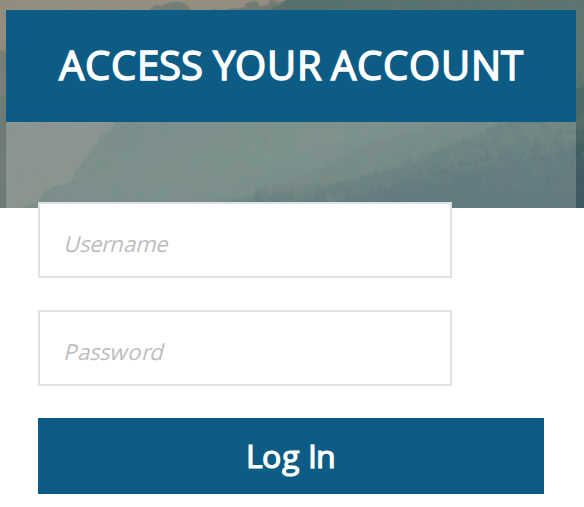
Screenshot source: Screenshot of the public Montana ICAP sign-in page, captured October 10, 2026.
TL;DR: use your own login, and give your biller their own
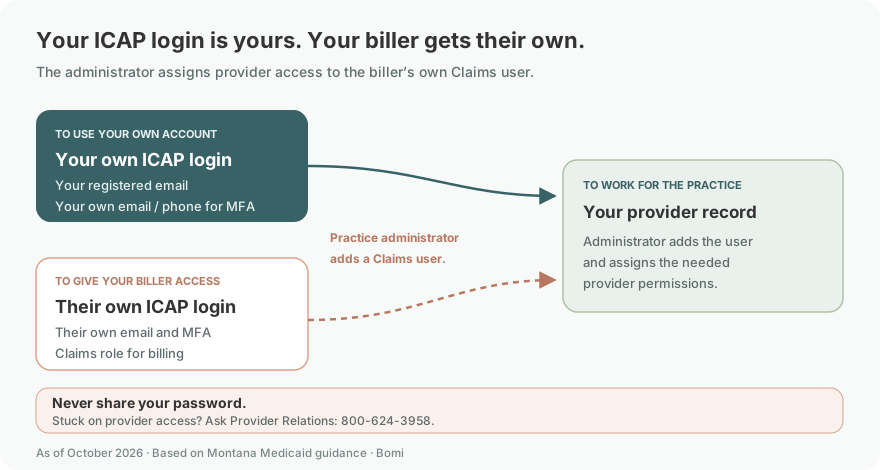
Use your own ICAP login and your own email or phone for MFA. Your practice administrator invites your biller as a separate provider user with the Claims role and the correct provider permissions. Provider enrollment and the separate MATH account are different tasks; see the current enrollment training and state claims page.
Who needs their own ICAP login
You and your biller each need a personal login. The current ICAP guide describes registered-email usernames and one-time codes sent to the person’s email or phone. The practice administrator assigns provider access to the biller’s own user, using the role names shown in the provider user guide and corroborated by June 2026 training. Never share your password or MFA code.
Before you create access: existing ICAP user or new provider
Montana’s existing-user guide says Provider Services Portal access moved to ICAP on April 13, 2026. Existing users were transitioned using the email address on file and received username and temporary-password messages. Check your existing account and recovery route before creating duplicate access.
On the public ICAP portal, Create New Account leads to member registration. Providers should follow the Provider route and the state provider enrollment instructions or ask Provider Relations how to start or recover the intended provider account. Older MPATH or GovID instructions do not replace the current ICAP sign-in guide.
ICAP provider account setup and first sign-in
Existing users: follow the registered-email username and first-login instructions in the current transition guide. If you no longer have the messages or cannot recover the account, ask Provider Relations for help rather than using member registration.
Sign in with your own credentials. If prompted during first login, replace the temporary password and follow the current security prompts.
At Confirm Your Identity, choose your own email or phone for the one-time password and enter the code when prompted. Keep your MFA destination under your control.
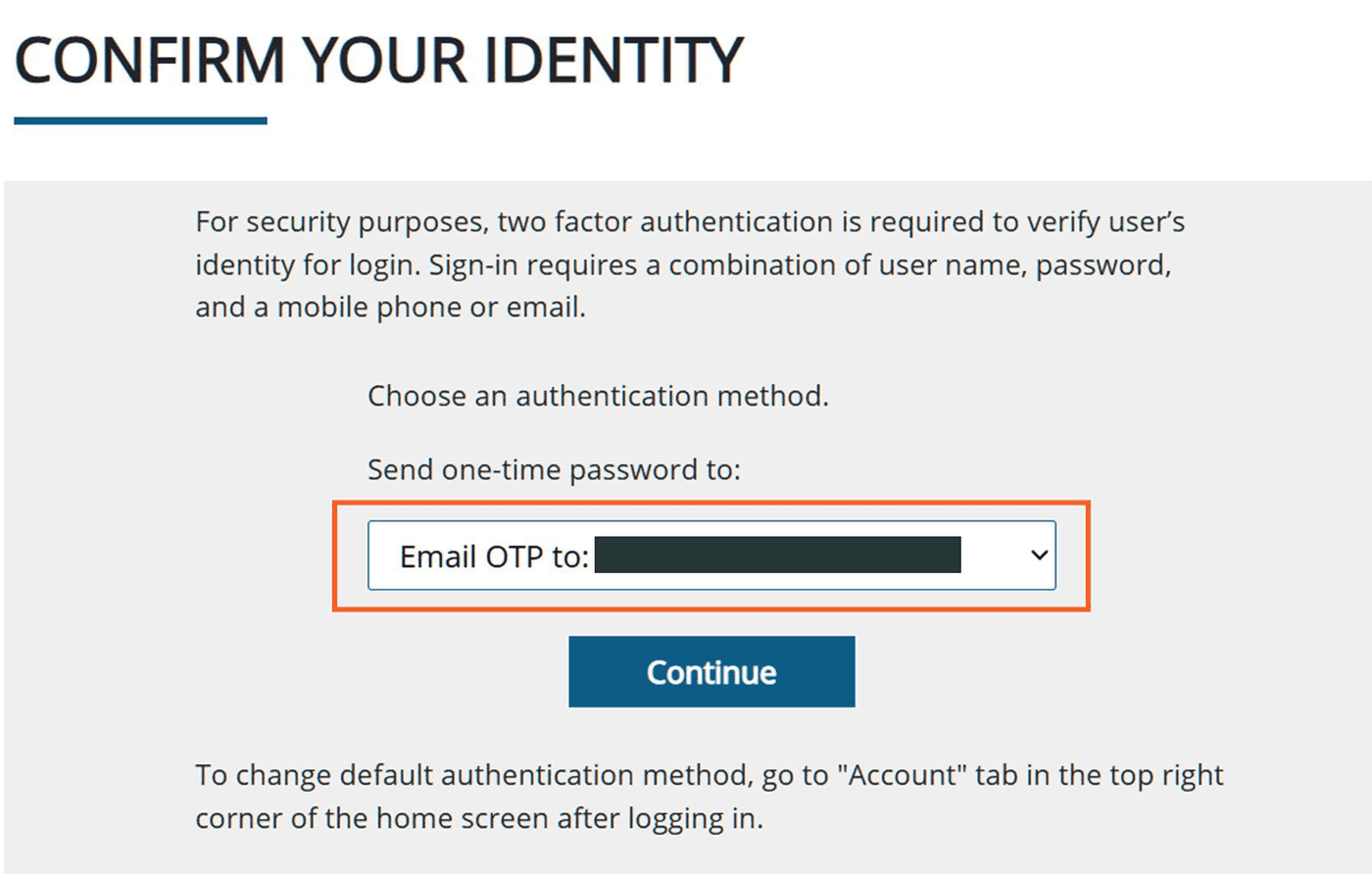
Screenshot source: Already Registered Users Help Guide, page 5, Figure 1-6.
Complete any required security-question prompts, then choose Provider and Continue to enter the Provider Services Portal. The existing-user guide, pages 6–7 illustrates this part of the first-access flow. New enrollments still require the separate provider application and approval steps.
Add your biller with the Claims role
The practice account administrator adds a provider user and chooses the needed role. The role dropdown in the currently linked provider user guide, printed page 161 names Delegated Admin, Claims and Enrollment; June 2026 training explains the administrator and claims/enrollment distinctions. Use Claims for a biller who needs claims access, then assign the intended provider record and permissions. Do not grant Delegated Admin merely to let someone bill.
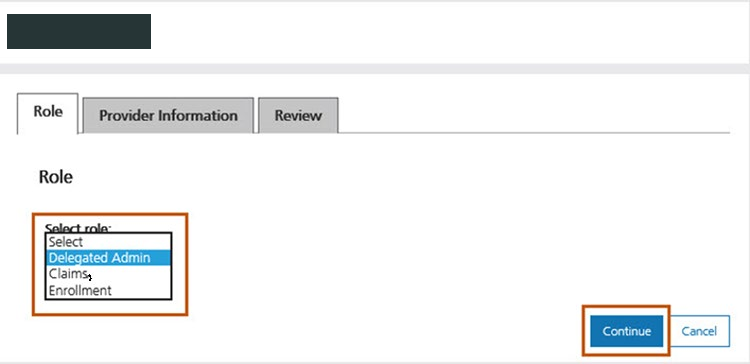
Screenshot source: Provider Portal User Guide, version 19.0, printed page 161 (PDF page 159), Figure 12-17; roles corroborated by June 2026 enrollment training.
Complete provider information and review for the biller’s own user, then have the biller follow their own account invitation and current ICAP login instructions. Keep the practice administrator in control of access. For more detail, see give your biller Montana Provider Services access.
ICAP login errors, MFA and password recovery
Forgot password: start with ICAP Forgot Password and follow the current account prompts.
Username unclear: the current guide uses the registered email address. Ask Provider Relations if the account email or original invitation cannot be recovered.
MFA destination unavailable, locked account or provider access missing: contact Provider Relations at 800-624-3958 or mtprhelpdesk@conduent.com; do not send passwords or one-time codes.
MATH rejects your ICAP credentials: the official claims page describes a separate MATH user ID/password and provider/submitter identifiers. Having ICAP access does not establish MATH access.
Related Montana Medicaid guides
For help organizing provider enrollment and billing access, talk with Bomi.
Official sources
Frequently Asked Questions
Where is the MES ICAP portal login for Montana providers?
Use the official MES Integrated Customer Access Portal linked above, sign in with your own registered email and password, and choose the Provider route for the Provider Services Portal.
How do I create an ICAP Montana provider account?
Follow Montana’s provider enrollment and account instructions or contact Provider Relations. Existing users were transitioned to ICAP in April 2026. Do not use the member Create New Account registration route for a provider account.
How do I reset my ICAP portal login password?
Use ICAP Forgot Password. Your username is the registered email address. If recovery, MFA or account access cannot be resolved, contact Provider Relations at 800-624-3958 or mtprhelpdesk@conduent.com.
Can my biller use my ICAP portal login?
Do not share passwords or MFA codes. The practice administrator adds the biller as their own provider user with the Claims role and the appropriate provider permissions. The biller follows their own invitation and ICAP sign-in instructions.
Is ICAP login the same as MATH login?
No. ICAP is the current Provider Services entry. MATH has separate user credentials and provider or submitter identifiers described on Montana’s official claims page; an ICAP login does not establish MATH access.
Need help getting payer-ready?
For practices enrolled in Bomi Billing, our team handles CAQH, payer applications, attestations, roster updates, and ongoing credentialing. Credentialing requires Bomi Billing.
Credentialing with billing
About Bomi
Founded by George Ruan, Dax Earl, and Andrey Goder, Bomi helps independent therapists and group practices with insurance billing, credentialing, and payer follow-up. Bomi grew out of Dax’s experience helping his mother with her therapy practice, with a clear purpose: reduce the administrative burden of insurance while keeping practice owners in control.
Meet our founders