
Cigna for HCP Login: Provider Registration and Biller Access
By George Ruan • October 10, 2026
For Cigna for HCP provider login, open the official Cigna for Health Care Professionals login and sign in with your own Cigna account.
Last checked: October 10, 2026.
Sections
- Direct links: Cigna for HCP login, registration and recovery
- TL;DR: use your own login, and give your biller their own
- Who needs their own Cigna for HCP login
- Before you create access
- Account setup steps
- Add your biller as a registered user
- Cigna login errors and authentication problems
- Cigna for HCP versus Evernorth for therapists
- Related provider guides
- Frequently Asked Questions
Direct links: Cigna for HCP login, registration and recovery
Registration and login help — 800-853-2713.
Behavioral health provider login — Cigna directs behavioral registration to Evernorth.
Cigna’s public Log In button opens the username screen below. Enter your own username; Forgot Username? is available before continuing.
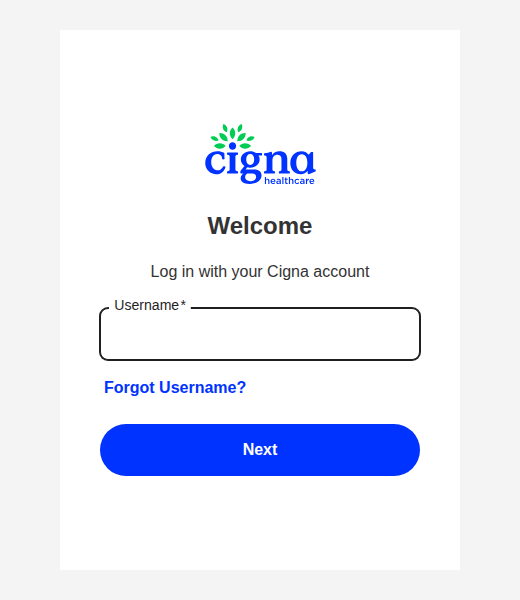
Screenshot source: Public Cigna sign-in reached from Cigna for HCP, captured October 10, 2026.
TL;DR: use your own login, and give your biller their own
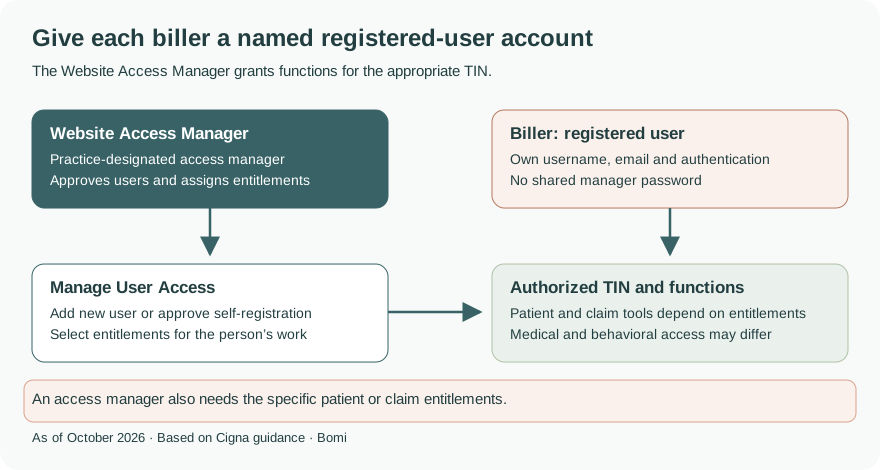
Use your own Cigna account. Your biller gets a named registered-user account, and the practice’s Website Access Manager approves access and assigns entitlements for the appropriate TIN and line of business. Behavioral health clinicians should use the existing Evernorth setup guide linked below. Official registration guidance
Who needs their own Cigna for HCP login
The Website Access Manager manages user access for the registered TINs. Being a manager does not automatically grant patient or claim tools: those entitlements must also be assigned. Keep each person’s login and authentication separate. Website access manager guidance
Before you create access
Confirm the medical or behavioral line of business and the TINs you need. If your TIN has a Website Access Manager, ask that person to add you or approve your registration. Creating a user account does not itself complete network participation. Registration instructions
Account setup steps
Select Register and your practice type. Enter the required TINs, Save All and Next, then complete your profile and security prompts. Review the information before submitting. Wait for the access-approval confirmation before assuming patient and claim tools are available. Cigna registration steps
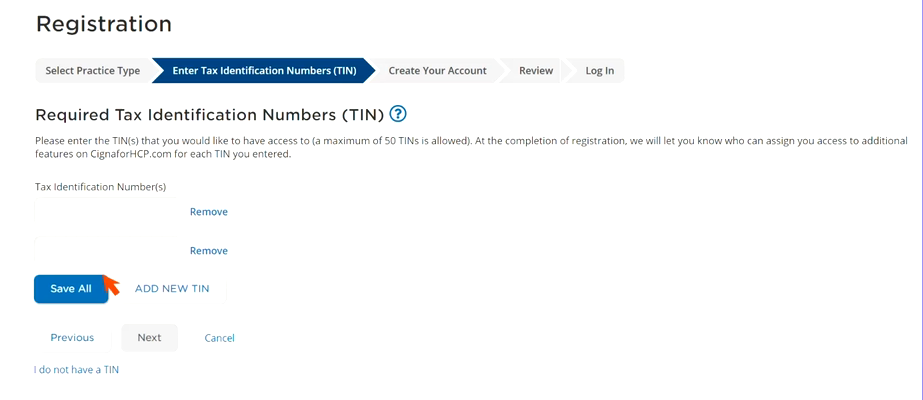
Screenshot source: CignaforHCP.com Registration official instructional video, published December 20, 2024, frame 00:55.
Add your biller as a registered user
The Website Access Manager uses Working with Cigna > Manage User Access > Add new user. Alternatively, the biller can register independently and the manager approves the pending request. Assign the functions required for that person’s work and the intended TINs; a biller does not need manager authority merely to view claims. Website access manager instructions
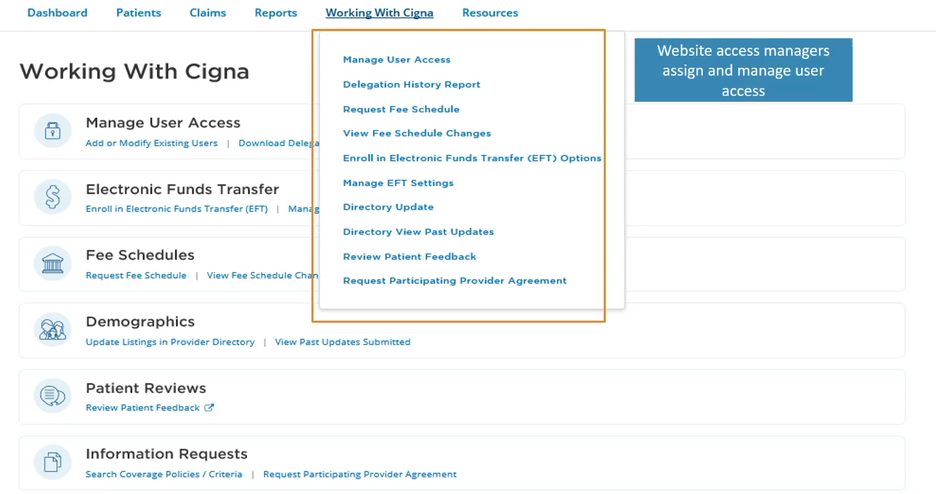
Screenshot source: Cigna official Quick Website Overview video, published December 20, 2024, frame 02:40; shows the Manage User Access entry, not the later Add new user form.
The manager may need to manage medical and behavioral access on both sites depending on the TIN and line of business. Do not assume that signing into one site grants every function on the other. Cigna manager FAQ
Cigna login errors and authentication problems
Use the official username or password recovery links above. If a verification code does not arrive, check the email and phone listed in Settings & Preferences and look in spam. Cigna sends codes only to verified contact methods; call registration/login support if recovery cannot be completed. Current authentication and support instructions
Cigna for HCP versus Evernorth for therapists
Cigna’s registration page explicitly sends behavioral providers to Provider.Evernorth.com. Use our existing Evernorth account setup and access-manager guide for that workflow. Network applications remain separate from login registration; follow the Evernorth behavioral network application route when that is your task.
Related provider guides
Frequently Asked Questions
How do I check cigna provider eligibility?
Use the provider site for your line of business and an account with the necessary patient eligibility entitlements. Cigna directs behavioral health provider registration to Evernorth.
Why is cigna provider portal eligibility missing after login?
A working username does not grant every function. Ask the Website Access Manager to check the patient eligibility entitlements for the correct TIN and line of business.
What is the cigna provider phone number for login help?
Cigna’s current registration and login guide lists 800-853-2713. This is website help, not a universal claims or benefit-service number.
Can my biller use my Cigna for HCP login?
Give the biller a named registered-user account and have the Website Access Manager assign the appropriate entitlements. Keep your own login and authentication methods.
Need help getting payer-ready?
For practices enrolled in Bomi Billing, our team handles CAQH, payer applications, attestations, roster updates, and ongoing credentialing. Credentialing requires Bomi Billing.
Credentialing with billing
About Bomi
Founded by George Ruan, Dax Earl, and Andrey Goder, Bomi helps independent therapists and group practices with insurance billing, credentialing, and payer follow-up. Bomi grew out of Dax’s experience helping his mother with her therapy practice, with a clear purpose: reduce the administrative burden of insurance while keeping practice owners in control.
Meet our founders