
Aetna Login: Commercial Provider Portal and Biller Access
By George Ruan • October 10, 2026
For Aetna provider login, open Availity Essentials and sign in with your own Availity user ID and password.
Last checked: October 10, 2026.
Sections
- Direct links: Aetna login, registration and help
- TL;DR: use your own login, and give your biller their own
- Who needs their own Availity login
- Before you create Aetna access
- Open Aetna Payer Spaces and the tool you need
- Do you need an Aetna PIN to log in?
- Keep Aetna profile updates separate from transaction entries
- Give your biller access to Aetna tools
- Aetna login errors: password or missing payer tool?
- Related guides
- Frequently Asked Questions
Direct links: Aetna login, registration and help
Provider login — the official Availity sign-in page.
New Availity registration — if your practice already has an organization, ask its administrator for your own user access.
Forgot user ID or password — choose the matching recovery link on the sign-in page.
Availity login and technical help — 800-282-4548.
Start Aetna network participation — separate from creating an Availity account.
Aetna portal instructions — check payer-specific access and tools.
Aetna Better Health — use its state-plan provider instructions for Medicaid, not this commercial guide.
The Availity sign-in card looks like this. Existing users choose Sign In; the recovery links are below the password field.
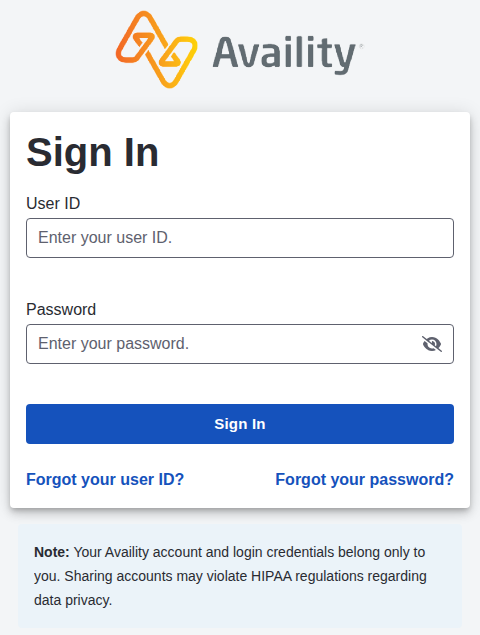
Screenshot source: Public Availity sign-in page, captured October 10, 2026.
TL;DR: use your own login, and give your biller their own
Use your own Availity account for Aetna commercial work. Your administrator gives your biller their own account and the roles needed for their tasks; Aetna network participation is separate. Aetna’s portal overview explains how existing organizations get access.
Who needs their own Availity login
The practice administrator manages each person’s permissions. Do not give a biller the owner’s password or two-step verification codes. If the biller needs an Aetna tool you can see but they cannot, have the administrator review their assigned access. Availity administrator guide.
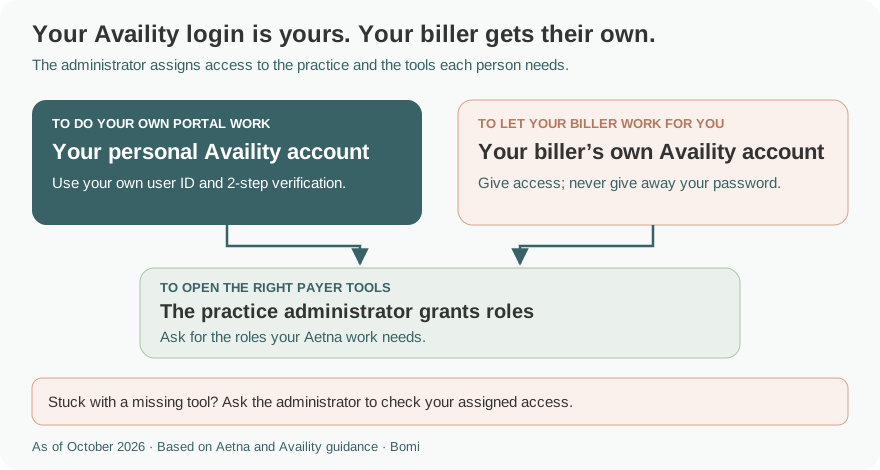
The role example above follows the payer’s tool-specific instructions; it is not a blanket role for every billing task.
Before you create Aetna access
Confirm the member has an Aetna commercial plan. Aetna Better Health has separate state-plan instructions. If your practice already uses Availity, request your own access through the administrator instead of starting another organization. Aetna’s login guidance and Aetna Better Health identify the appropriate starting points.
Open Aetna Payer Spaces and the tool you need
In Availity, open Payer Spaces and choose Aetna. Its Applications tab includes payer tools; the Resources tab includes policy resources such as Expanded claim edits. General eligibility and claims work also uses Availity transactions. Aetna at a glance, pages 4–5 and OfficeLink Updates, April 2025 describe those routes.
Do you need an Aetna PIN to log in?
Your Aetna provider identification number is a payer-assigned identifier, not your Availity password. Aetna’s September 2021 bulletin defines the PIN as seven digits; its April 2025 update specifically requires it for code edit lookup tools in Aetna Payer Spaces. PIN definition; current code-edit access requirement.
Do not assume every missing Aetna tool is a PIN problem. Aetna excludes behavioral health providers who are not MDs/DOs from its physician fee-schedule tool, among other office types. A working login or a new role will not remove that restriction. Aetna’s fee-schedule eligibility note states the exclusions.
Keep Aetna profile updates separate from transaction entries
Aetna’s linked PDM guide shows My Providers → Provider Data Management for profile updates. It says PDM changes do not update the provider dropdowns used for transactions; Express Entry is a separate function. This is the menu shown in its June 2023 guide, still linked from Aetna’s portal page. Aetna PDM reference guide.
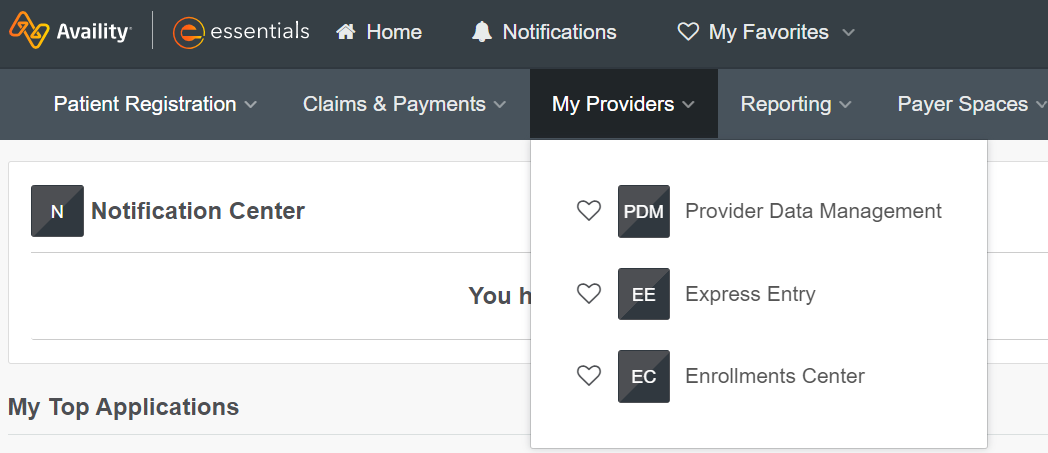
Screenshot source: Aetna provider-profile reference guide (cover June 2023), PDF page 1.
Give your biller access to Aetna tools
Have the administrator enable the Aetna functions the biller actually needs. An Aetna PIN required by a payer tool is separate from the biller’s Availity user ID, and registering the biller does not establish a provider contract. Payer access instructions.
For creating the organization, inviting a biller and assigning Availity user access, use our existing Availity biller-access guide. Keep the biller on their own account and give only the functions you intend them to use.
If you do not know who grants access, the Availity guide shows an administrator lookup. This generic Availity figure is not a payer-specific enrollment screen.
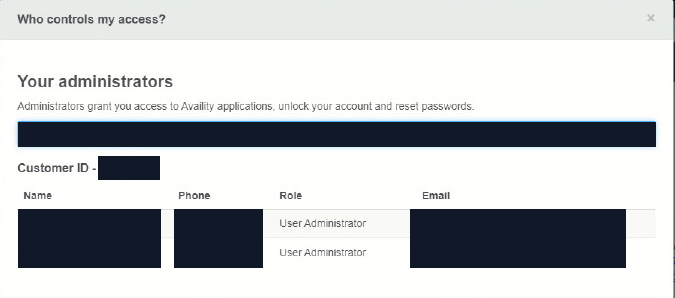
Screenshot source: Availity Reference Guide for Administrators (©2025), PDF page 3; account values masked.
Aetna login errors: password or missing payer tool?
For a forgotten user ID or password, use the two recovery links on the official login page. If you can sign in but cannot open a tool, ask the organization administrator to check access before registering another organization. The Availity administrator guide distinguishes account recovery from user permissions. For technical help, contact Availity Client Services at 800-282-4548.
For a payer transaction or participation question, use Aetna’s own provider instructions rather than treating it as a password reset.
Related guides
Availity organization and biller setup — the shared account and invitation workflow.
Aetna credentialing for Illinois therapists — network participation before portal billing.
Find contracted therapy fee schedules — options when an online fee tool excludes your provider type.
Humana provider login — a different payer space using Availity.
Frequently Asked Questions
Where is the Aetna provider login?
Aetna’s commercial provider portal is on Availity Essentials. Sign in with your own Availity user ID and open Aetna Payer Spaces for payer-specific tools.
Do I need an Aetna PIN to sign in to Availity?
The PIN is a payer-assigned provider identifier, separate from your Availity login. Aetna requires it for certain tools, including code edit lookup.
How do I give my biller access to Aetna?
The Availity organization administrator gives the biller their own user access and assigns the roles needed for the work. Use the existing Availity biller-access guide for organization and user setup.
Is Aetna Better Health the same provider portal as Aetna commercial?
Use the Aetna Better Health provider instructions for the member’s state plan. This guide covers Aetna commercial and does not replace Better Health’s Medicaid portal guidance.
Why can’t I see an Aetna fee schedule as a therapist?
Aetna’s physician fee-schedule tool is not available to behavioral health providers who are not MDs/DOs. Check the payer’s provider-type restrictions before treating the missing tool as a login problem.
Want Bomi to handle insurance billing?
Bomi helps therapy practices with benefit checks, claims, denials, balances, CAQH, attestations, and revenue management.
Book a call
About Bomi
Founded by George Ruan, Dax Earl, and Andrey Goder, Bomi helps independent therapists and group practices with insurance billing, credentialing, and payer follow-up. Bomi grew out of Dax’s experience helping his mother with her therapy practice, with a clear purpose: reduce the administrative burden of insurance while keeping practice owners in control.
Meet our founders