
Carelon Provider Login: Availity and Biller Access
By George Ruan • October 10, 2026
For Carelon Behavioral Health provider login, open the official Availity Essentials sign-in and use your own Availity account for the Provider Digital Front Door.
Last checked: October 10, 2026.
Sections
- Direct links: Carelon via Availity, registration and help
- TL;DR: use your own login, and give your biller their own
- Who needs their own Carelon and Availity login
- Before you create access
- Account setup steps
- Add your biller with assigned Availity roles
- What your Carelon login opens
- Carelon and Availity login errors
- Related provider guides
- Frequently Asked Questions
Direct links: Carelon via Availity, registration and help
Availity user-ID / password recovery — use the recovery links on Sign In.
Register for ProviderConnect/eServices — separate portal accounts when required by the plan.
Carelon portal help — Availity: 800-282-4548; ProviderConnect technical/EDI help: 888-247-9311; Carelon provider services: 800-397-1630.
Join the Carelon network — separate from login registration.
Carelon’s published Digital Front Door login uses the Availity Sign In screen below, with user-ID and password recovery beside the form.
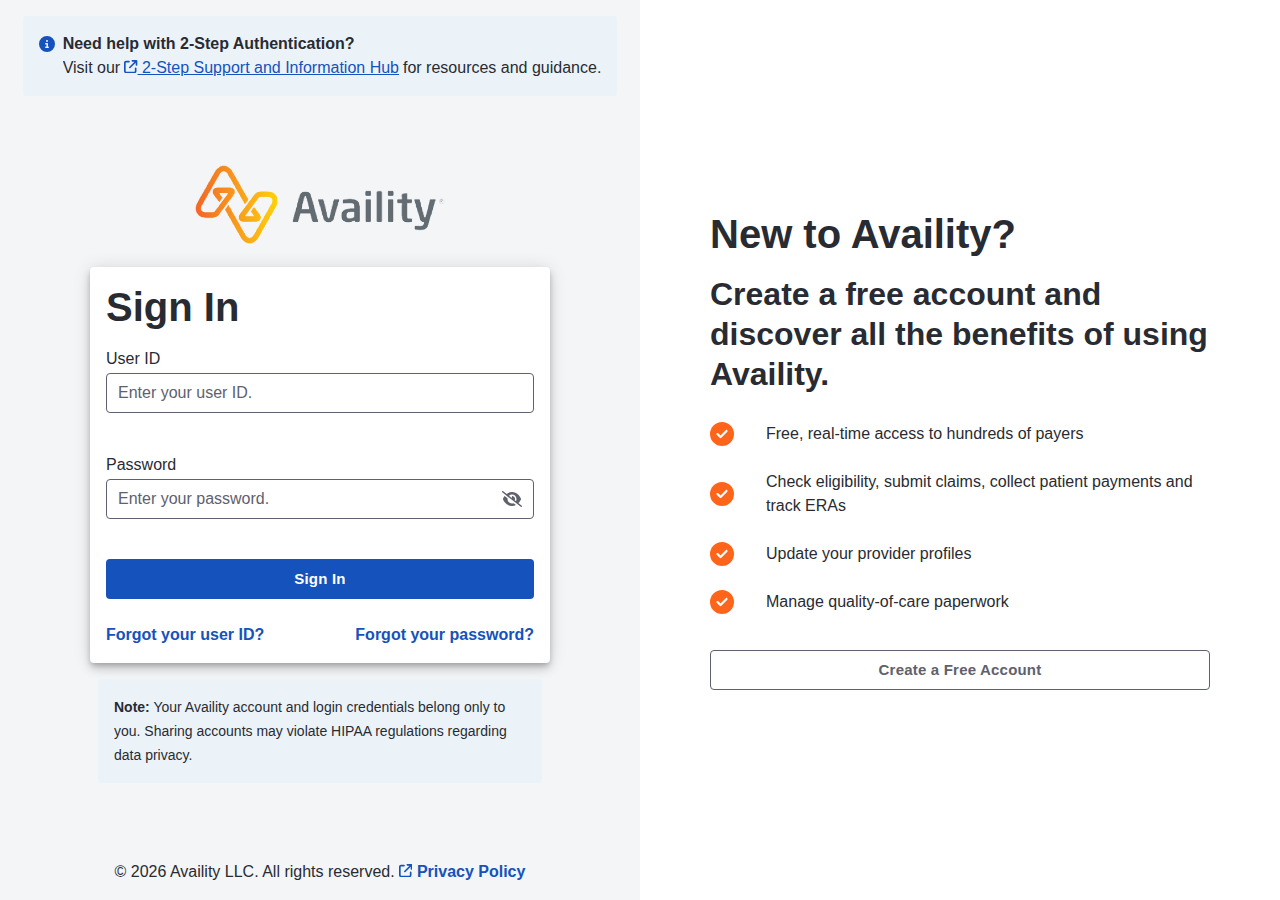
Screenshot source: Public Availity sign-in linked by Carelon, captured October 10, 2026.
TL;DR: use your own login, and give your biller their own
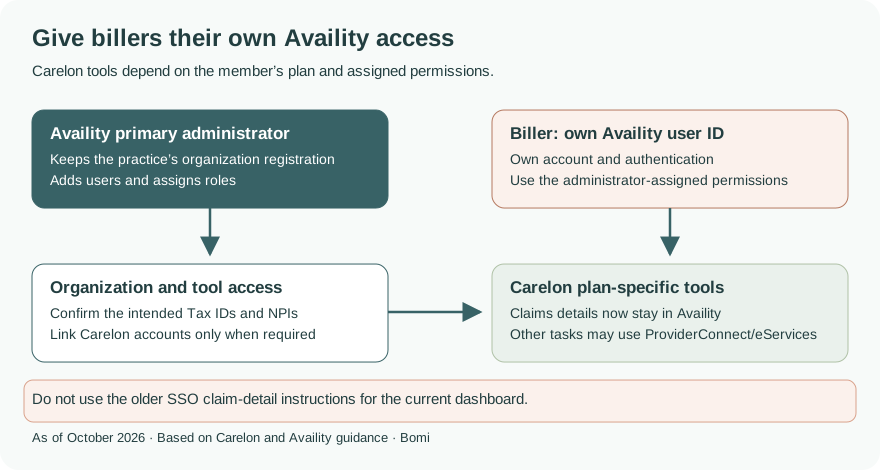
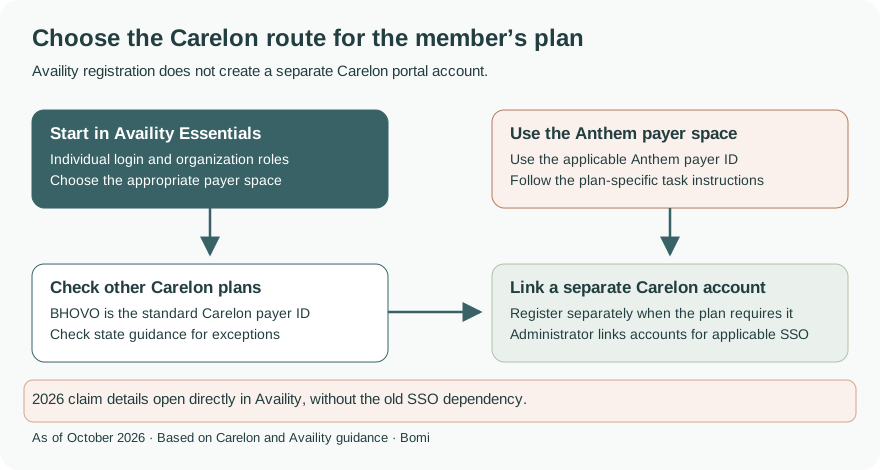
Use your own Availity account. Your biller needs a separate user ID with administrator-assigned roles and access to the intended organization. Some plans also require ProviderConnect or eServices registration; current Carelon claim details can be viewed directly in Availity without the older SSO setup dependency. Carelon portal overview and Q1 2026 update, page 6
Who needs their own Carelon and Availity login
Carelon says each office staff member needs unique login credentials. An existing Availity user keeps their account; the organization administrator assigns the needed access. For applicable Carelon portal linking, only account administrators can complete the association. Carelon orientation, pages 24–28
Before you create access
Identify the member’s plan and the organization records you need. Anthem plans use the applicable Anthem payer ID; other Carelon-managed plans generally use BHOVO, subject to state-specific exceptions. Check the plan’s instructions before opening a new portal account. Carelon portal routes
Account setup steps
If your organization already uses Availity, ask its administrator to add your existing user ID or invite you. For a new organization, use Availity registration and complete the individual account and organization prompts. Our illustrated Availity setup and biller guide covers that process.
For plans requiring ProviderConnect or eServices, register separately through Carelon’s public registration route. The Q1 2026 newsletter says online login requests now replace faxing the ProviderConnect account-request form, including primary and secondary user requests. Current user-registration update, page 4
When the plan requires separate ProviderConnect/eServices linking, its administrator chooses Organization Administration, selects the organization and portal, and confirms the association. This setup is separate from current direct Availity claim details. Carelon orientation, PDF/printed page 27
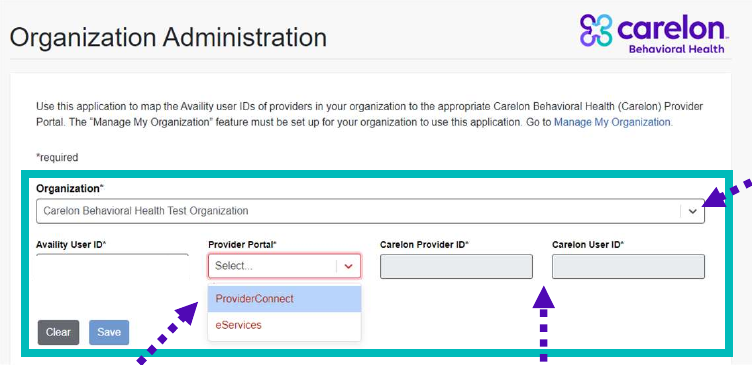
Screenshot source: Carelon provider orientation, PDF/printed page 27; separate portal association setup.
Add your biller with assigned Availity roles
Use the Availity administrator’s named-user invitation process and assign the functions needed for the work; retain the practice’s own administrator account. See the existing illustrated Availity invitation steps. If a separate Carelon portal account is required, request that biller’s own authorized user access through Carelon’s online registration.
For applicable ProviderConnect/eServices SSO, an account administrator opens Organization Administration in the Availity payer space and associates the Availity User ID, Provider Portal, Carelon Provider ID and Carelon User ID. The orientation guide shows the form below. This is the separate portal-linking process, not a prerequisite for current direct claim-detail access. Official orientation, pages 26–28
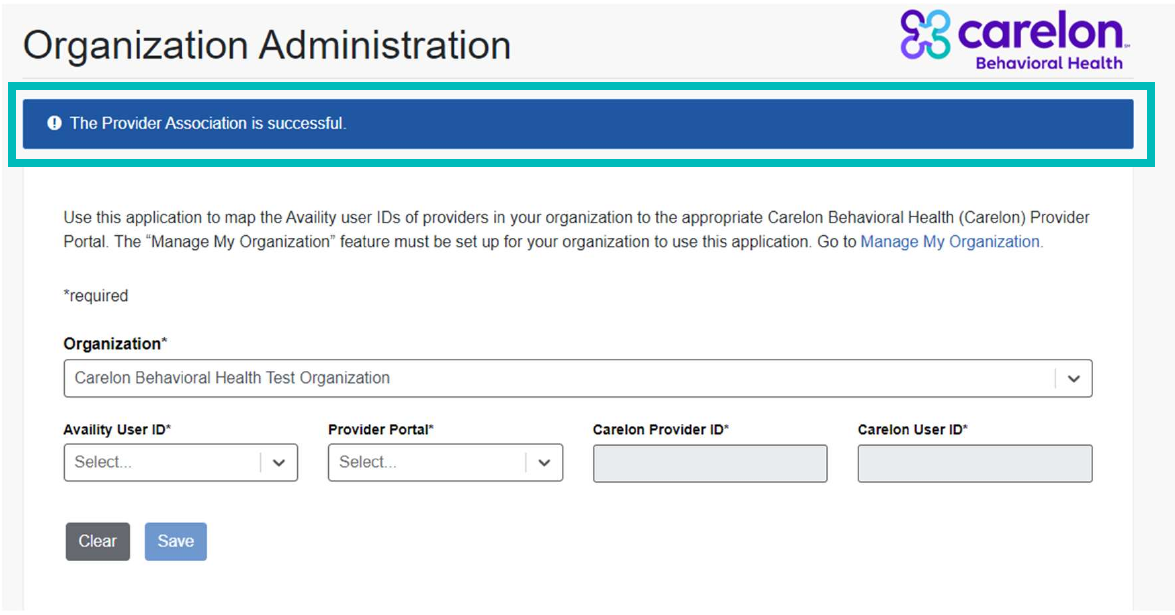
Screenshot source: Carelon provider orientation, PDF/printed page 28; organization association form.
What your Carelon login opens
Use the plan-specific payer space and tools. The 2026 newsletter explains that the claim-number link now opens line-level details within Availity; ensure TINs and NPIs are configured through Manage My Organization. Do not follow the older instruction to SSO into ProviderConnect/eServices just to view those claim details. Carelon Q1 2026 newsletter, page 6
Carelon and Availity login errors
For Availity user-ID or password problems, use its recovery options and Client Services. For a working login with missing organization access, ask the administrator to check assignments. ProviderConnect technical questions go to Carelon’s EDI help desk; plan questions go to the plan’s provider-service channel. Carelon support contacts
Related provider guides
Frequently Asked Questions
What is the Carelon provider login through Availity?
Carelon’s Digital Front Door uses Availity Essentials. Sign in with your own Availity account and use the appropriate payer space for the member’s plan.
Do I need ProviderConnect or eServices as well as Availity?
It depends on the plan and task. Carelon publishes separate registration and linking instructions for these portals. Current Availity claim details no longer depend on the older SSO setup.
Does my biller need a separate Carelon login?
Each staff member needs their own Availity user credentials and assigned permissions. Where a Carelon portal account is required, request the biller’s own authorized access rather than sharing your account.
Is Carelon ePayment Center the provider login?
Payment enrollment is a separate task from provider portal access. Use the existing Carelon payment-transition guide linked above for that topic.
Need help getting payer-ready?
For practices enrolled in Bomi Billing, our team handles CAQH, payer applications, attestations, roster updates, and ongoing credentialing. Credentialing requires Bomi Billing.
Credentialing with billing
About Bomi
Founded by George Ruan, Dax Earl, and Andrey Goder, Bomi helps independent therapists and group practices with insurance billing, credentialing, and payer follow-up. Bomi grew out of Dax’s experience helping his mother with her therapy practice, with a clear purpose: reduce the administrative burden of insurance while keeping practice owners in control.
Meet our founders