
KYHealth-Net Login: MEUPS, KY MPPA and Biller Access
By George Ruan • October 9, 2026
For KYHealth-Net provider login, open KYHealth-Net official login and sign in with your own MEUPS account. KY MPPA enrollment uses a separate KYID account.
Links and current guide versions checked October 9, 2026. For provider and biller information, see the official Medicaid provider page.
Sections
- Direct links: KYHealth-Net sign-in, setup and help
- TL;DR: use your own login, and give your biller their own
- Who needs their own KYHealth-Net login
- Before you create access
- Create or use your KYHealth-Net account
- What your login opens: MEUPS account management and KYHealthNet roles
- Add your biller: Agent and provider roles
- KY MPPA enrollment uses its own KYID login
- Login errors, forgotten IDs and missing access
- Related guides
- Frequently Asked Questions
Direct links: KYHealth-Net sign-in, setup and help
Registration: provider PIN and MEUPS setup; billing agents ask the Provider Administrator to arrange their account.
User-name or PIN help: EDI Helpdesk, 800-205-4696; ky_edi_helpdesk@gainwelltechnologies.com
The KYHealth-Net sign-in page looks like this. Use your own account when signing in.
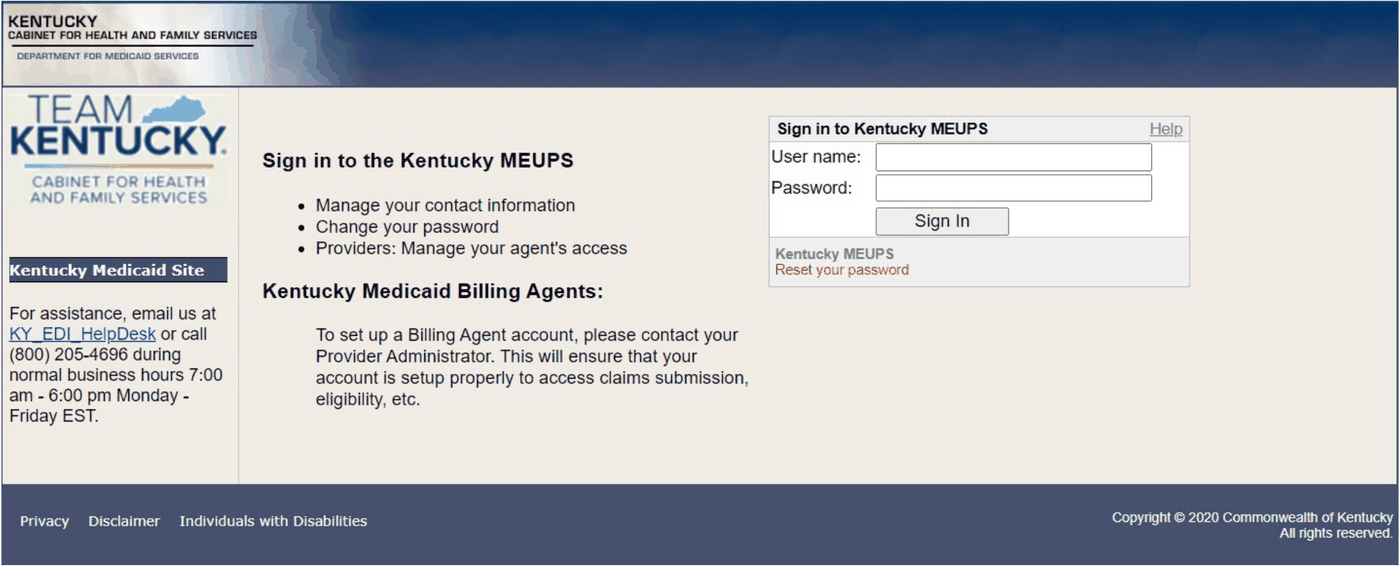
Screenshot source: KYHealthNet Professional User Manual v5.3, May 29, 2025, PDF 12, printed 6.
TL;DR: use your own login, and give your biller their own
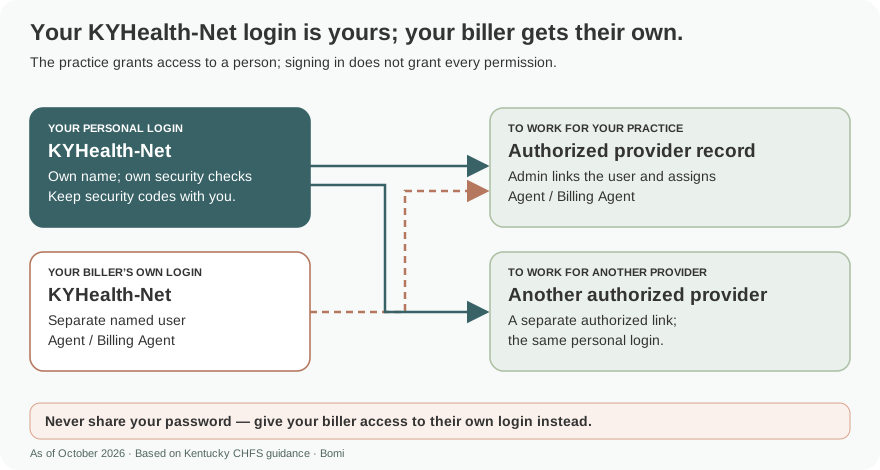
Use your own MEUPS login. Your biller uses their own Agent account, which a Provider Administrator or Billing Agent links to the provider and gives KYHealthNet roles. KY MPPA enrollment has a separate KYID login. official guide.
Who needs their own KYHealth-Net login
Keep your MEUPS login in your own name and keep its password private. Give a biller an Agent account with the provider-specific roles needed for their work. The guide supports linking an agent to additional provider records, with permissions assigned for each record. official guide.
Before you create access
Before setting up the provider account, have the provider information and PIN described in the KYHealthNet manual. If the PIN is missing, CHFS directs providers to send the PIN Release form and a driver license copy to ky_edi_helpdesk@gainwelltechnologies.com or call 800-205-4696. official guide.
Create or use your KYHealth-Net account
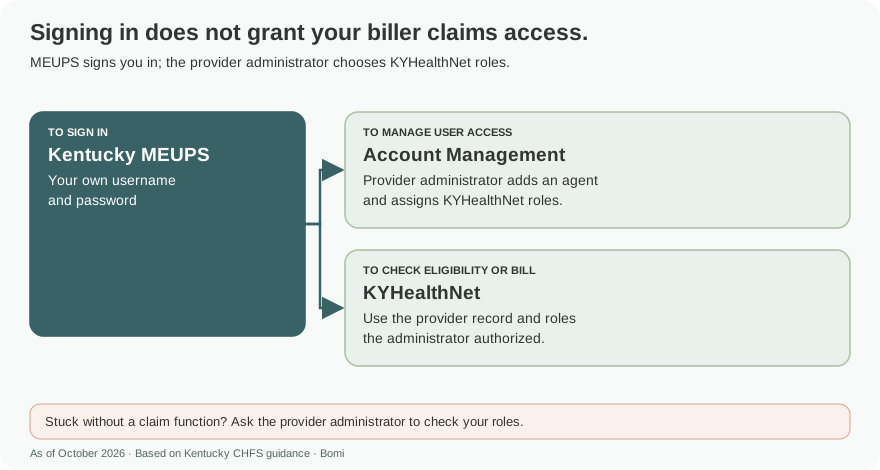
Use the account-setup instructions in the Professional User Manual to establish MEUPS access. After signing in, open Account Management for access administration. The KYHealthNet application needs its own provider permissions; having a MEUPS password alone does not give every role. official guide.
What your login opens: MEUPS account management and KYHealthNet roles
Use Account Management to link people and providers. KYHealthNet application roles are separately assigned for the selected provider. official guide.
Add your biller: Agent and provider roles
In Account Management, a Provider Administrator or Billing Agent chooses Add Agent and searches by the biller’s email. Link the correct person, then assign their KYHealthNet roles and provider permissions. For an existing agent, add the provider record and check its permissions separately. Never give your biller your password. official guide.
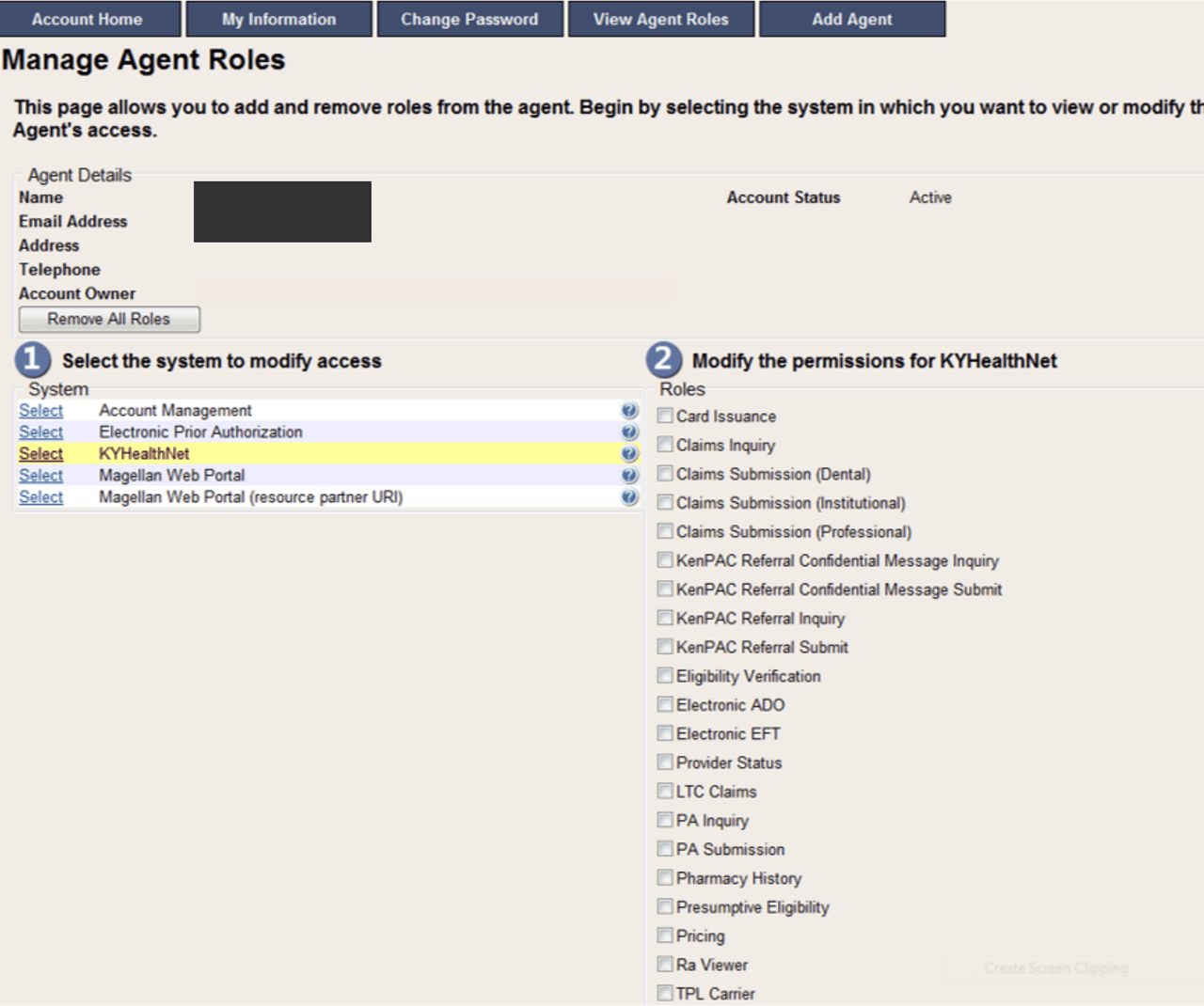
Screenshot source: KYHealthNet Professional User Manual v5.3, May 29, 2025, PDF 23, printed 17; agent identity masked.
KY MPPA enrollment uses its own KYID login
For enrollment, open KY MPPA. The March 5, 2026 account guide uses KYID, including identity and MFA steps, rather than the older KOG route. Follow those instructions to create your own enrollment account.Current MPPA account guide.
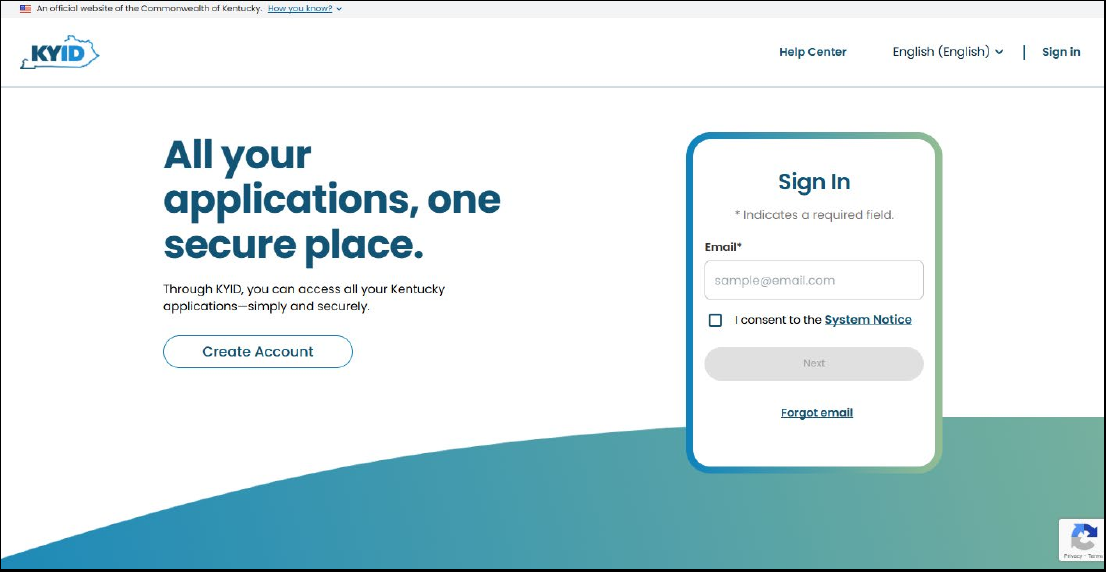
Screenshot source: KY MPPA: How to Create an Account, March 5, 2026, PDF 2.
A Credentialing Agent uses an account in their own name. The Authorized Delegate guide describes support linking that account to the Medicaid ID and the signed authorization and electronic-signature steps. A provider who fully delegates enrollment should follow that guide rather than assume they must create another personal MPPA account.Authorized Delegate guide.
Login errors, forgotten IDs and missing access
For a missing MEUPS PIN, use the CHFS PIN process above. For KY MPPA account or delegate help, call 877-838-5085, option 1 then 1. Use the separate MPPA account instructions rather than trying a MEUPS password in the enrollment portal. Current MPPA account guide.
Related guides
Check which provider number the account should represent in our NPI Type 1 vs Type 2 guide. For help with practice enrollment and payer access, see Bomi credentialing support.
Frequently Asked Questions
Where is the KYHealth-Net provider login?
Use home.kymmis.com for MEUPS and KYHealthNet access. Kentucky Medicaid’s official KYHealthNet page links the portal and manuals.
Is KY MPPA the same login as KYHealth-Net?
No. The March 5, 2026 KY MPPA instructions use KYID for enrollment. MEUPS is the KYHealthNet access route.
How do I give my biller KYHealthNet access?
A Provider Administrator or Billing Agent adds the biller as an Agent and assigns KYHealthNet roles and provider-specific permissions. The biller uses their own login.
Planning a private practice?
Use Bomi's free Build resources to plan the business, provider identity, payer setup, and billing workflow before you see clients.
Use Build resources
About Bomi
Founded by George Ruan, Dax Earl, and Andrey Goder, Bomi helps independent therapists and group practices with insurance billing, credentialing, and payer follow-up. Bomi grew out of Dax’s experience helping his mother with her therapy practice, with a clear purpose: reduce the administrative burden of insurance while keeping practice owners in control.
Meet our founders